1
Glossary
Term
Definition
Page button
Some menus like the Main Menu, Device Menu and Favorites may have more than one page associated with
them. These buttons, found to the left, and right, of the Main button will navigate between those pages
Ready
This statement will appear on the LCD when the remote is ready to move on to the next step in the action or
programming
Record
The record function is the first step to creating one touch activities (macros). While in record mode, every button
press is saved and added to the string of commands; once the SAVE/DONE button is pressed, the entire command
string is stored in the location determined by you.
Retry
This suggestion appears when the action you just tried to perform has failed. Usually retrying the step will solve
the problem
RF Setup
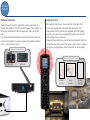
The MX-450 has the ability to control device via direct IR, or route the IR commands through an RF base station.
Using an RF base station allows commands to be sent through walls, floors and doors. RF also allows for native
command of URC lighting.
Saved
This acknowledgment will appear during some programming procedures to let you know that the action has been
completed
Smart Remote
A unified remote that has capabilities to make its use more efficient, intuitive and automatic
Unified Remote
A single remote control that combines other controllers into a single interface. Does not imply any intelligent
control, just combined control!