1
P ERFORMING D OWNLOADS
File Authentication Requirements
•
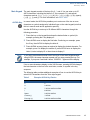
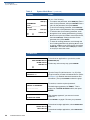
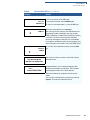
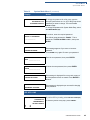
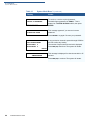
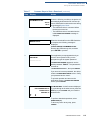
While the new OS is being processed, there is no visible indication on the
device display of the progress of processing. When the new OS is processed
(this usually takes a few moments), the device restarts automatically and the
OS download procedure is complete.
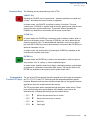
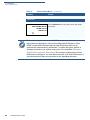
CAUTION If the power supply to the receiving device is accidentally cycled during an
operating system download procedure, the device may permanently lock up. In
that case, return the device to VeriFone for service.
File Authentication
for Back-to-Back
Application
Downloads
108
VX810 REFERENCE GUIDE
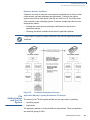
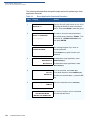
When performing a back-to-back application download between two Vx810
devices, the file authentication process on the receiving device is similar to an
application download from a host computer to a standalone Vx810 device. There
are, however, some important differences to take into account:
•
Only a full application download is supported for back-to-back data transfers.
You cannot perform partial back-to-back application downloads.
•
Before you can initiate the back-to-back download, you must enter system
mode in both devices, select Group 1 as the target group for both devices, and
enter all required passwords.
•
All signature files required to authenticate the download applications must
reside in the memory of the sending device. They must not be deleted through
the *FA variable being cleared to 0 on previous downloads.
•
Any sponsor and signer certificates downloaded onto and authenticated on
the sending device are stored in the certificate tree of that device. When you
perform a back-to-back download, certificate files are reconstructed from the
data present in the sending device’s certificate tree.
•
All certificates transfer to Group 1 SRAM on the receiving device, except for
the highest-level platform root certificate, which can never be transferred to
another device.
•
When certificates are detected by the file authentication module of the
receiving device, they are processed exactly as in a direct download: All
certificates are checked one by one and, on authentication, are added to the
certificate tree of the receiving device. Then all signature files are checked.