1
efesotomasyon.com - Control Techniques,emerson,saftronics -ac drive-servo motor
Chapter 6: Programming Features
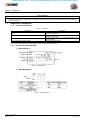
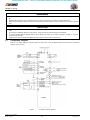
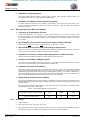
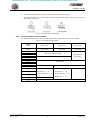
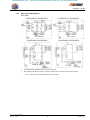
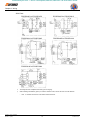
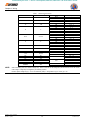
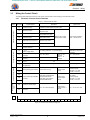
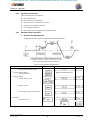
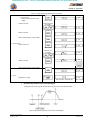
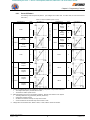
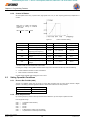
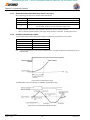
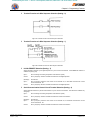
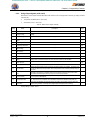
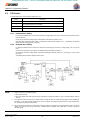
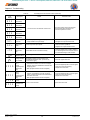
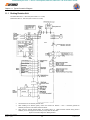
Figure 19 Multi-Speed Selection – Control Circuit Terminals
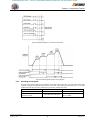
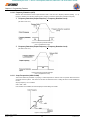
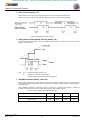
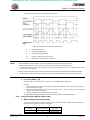
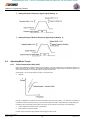
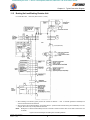
Figure 20 Multi-Step Speed Operation Timing Diagram
6.3.3.
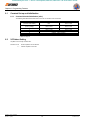
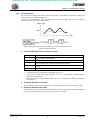
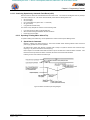
Operating at Low Speed
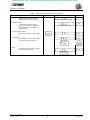
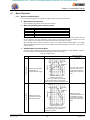
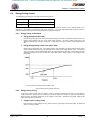
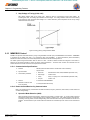
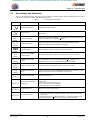
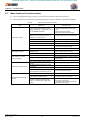
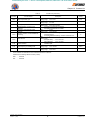
Set jog frequency reference selection in multi-function contact input terminals (S2 to S6). Then input a FWD or REV RUN
command. Operation is enabled at the jog frequency set in n029. When multi-step speed references 1 or 2 are input
simultaneously with the jog frequency reference, the jog frequency reference has priority.
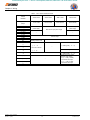
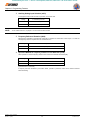
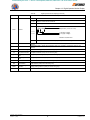
Name
Constant No.
Jog frequency reference
Multi-function contact input
selection (S2 to S6)
Firmware – S2011 and S3012
Revision: 1 (9/98)
n029
n035, n036, n037, n038, n039
39
Setting
(Factory setting: 6.0 Hz)
Set to “11” (jog frequency selection)
for any constant.
© Saftronics, Inc.