1
Contents
2
7
7
7
8
8
12
14
15
Chapter 1: Getting Started
16
16
18
21
22
25
30
31
32
33
34
35
36
Chapter 2: Basics
37
37
40
40
41
Chapter 3: Safari
42
42
44
51
54
Chapter 4: Music and Video
iPod touch–Optimized User Guide
What You Need
Registering iPod touch
Syncing
Mail, Contacts, and Calendar Accounts
Installing Configuration Profiles
Disconnecting iPod touch from Your Computer
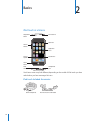
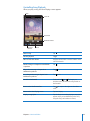
iPod touch at a Glance
Home Screen
Buttons
Touchscreen
Onscreen Keyboard
Searching
Bluetooth Headphones
Connecting to the Internet
Battery
Security Features
Cleaning iPod touch
Restarting and Resetting iPod touch
Viewing Webpages
Searching the Web
Bookmarks
Web Clips
Getting Music, Video, and More
Music and Other Audio
Videos
Setting a Sleep Timer