1
Del
4. Press
3
DEF
Menu
or the Exit soft key repeatedly to return to the idle.
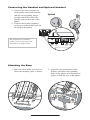
Messages on supported headsets to provide electronic hookswitch features of
For information
Sel
placing, answering,
and ending calls, go to www.polycom.com/support/voice and
Do Not
Disturb
enter the
string
“Headset Compatibility List” in the Knowledge Base text box.
DEF
6
MNO
Sel
MNO
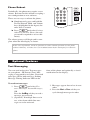
Display Contrast
Del
99
WXYZ
Hold
WXYZ
#
Conference
Directories
To adjust the contrast on the display to a
comfortable level:
Services
3
DEF
DEF Call Lists
6 Buddy Status
MNO
1. Press
. Select Settings followed by Basic, Contrast.
2. Press theMessages
Up or Down soft keys (or
volume keys) to increase or decrease
Do Not Disturb
DEF
the display
contrast. ABC
Ring Type
MNO
Del
Menu
Sel
1
2
ABC
3. Press the Ok or Cancel soft keys to
accept or cancel changes.
Menu
4. Press
or the Exit soft key
to return to the idle display.
3
Messages
DEF
Do Not Disturb
4
5You can
6
are available.
99 My Status Many ring types Hold
GHI
JKL
MNO
GHI
WXYZ
WXYZ
Redial
#
JKL
*
DEF
DEF
6
MNO
MNO
99
WXYZ
WXYZ
#
3
DEF
DEF
6
MNO
MNO
99
WXYZ
If “Silent Ring” is selected, incoming
calls can only be answered by pressing
Hold
the Answer soft key.
select different rings to distinguish between
PQRS
TUV
WXYZ
lines or to have a Del
different
77 ring88from your
99
neighbor’s phone. PQRS
TUV
WXYZ
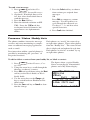
To change the incoming ring:OPER
3
MNO
0
#
Menu
1. Press
. Select
OPERSettings followed by Basic, Ring Type.
Messages
2. (Optional)
If multiple lines are used,
Sel
first select which line to change.
Do Notarrow
Disturb keys, highlight the
3. Using the
desired ring type. Press the Play soft
Del the selected ring type.
key to hear
4. Press Select
Holdto change to the selected
ring type.
5. Press Menu or the Exit soft key to
return
Sel to the idle display.
When your SoundPoint IP 301 phone
is configured for silent ring, press the
ringing Line key or the Answer soft key
and you will answer the call. If your
handset is off hook, the call is routed to
the handset. If your handset is on hook,
the call is routed to the speaker.
See also Distinctive Ringing /
Call Treatment.
Messages
Call ListsDo Not Disturb
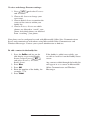
2. Dial to return the call.
3. Exit to return to the previous menu.
4. Info to view information about the
call.
5. Save to store the contact to the Contact Directory.
6. Clear to delete the call from the list.
A local listDelof calls missed, received, and
placed is maintained by the phone (up to
100 for each). Hold
WXYZ
#
Menu
Press
. Select Features followed
by Call Lists. Select Missed, Received, or
Messagesas desired. Call information
Placed Calls
will be displayed.
Press the Exit soft key to return to the idle
display.
Do Not Disturb
Choose:
1. Edit to amend the dial string if necessary.
Hold
12
To quickly view the Missed Calls list
from the idle display press
.