1
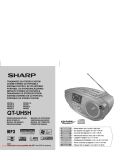
QT-UH4H
Listening to a CD or MP3/WMA disc (continued)
ENGLISH
Playback
1
CD or MP3/WMA disc Playback
2
3
CD/USB
RADIO
VO L U M E
N I NG
TU
FUNCTION
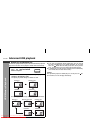
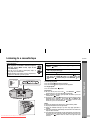
Press the OPEN button to open CD door.
•M
IN
MAX
•
KHz
1600
MHz
X-BASS
108
1400
1200
106
Place the disc on the spindle, label side up.
Be sure to place 8 cm (3") disc in the middle of the disc
compartment.
12 cm (5")
8 cm (3")
S
PU
H/
CL
OS
1000
104
E
ON
OFF
102
100
TAPE (STAND-BY)
CD/USB
RADIO
P
H
US
/C
LO
• AM
• FM
SE
800
700
96
600
92
90
88
BAND
FUNCTION
EN
OP
FM
530
AM
EN
OP
MIC
PAUSE STOP/EJECT F.FWD
REWIND
PLAY
RECORD
Various disc functions
Function
Play
Main unit
Operation
Press in the stop mode.
/II
Stop
4
5
Press in the playback mode.
Close the CD door by firmly pushing the right corner of it.
Press the
/
button to start playback.
Pause
/II
To stop playback:
Press the button.
To remove the disc:
In the stop mode, press the OPEN button to open the CD door.
Caution:
Do not place two discs in the spindle.
Do not play discs with special shapes (heart- or octagonshaped). It may cause malfunctions.
If TV or radio interference occurs during CD operation, move the
unit away from the TV or radio.
If a disc is damaged, dirty, or loaded upside down, the disc will not
back.
Downloaded From play
Disc-Player.com
Sharp Manuals
E-7
TAPE (STAND-BY)
Set the FUNCTION switch to CD/USB, Power "ON"
indicator will light up.
Press in the playback mode. Press
the / button to resume playback
from the paused point.
Track up/
Track
down
Press in the playback or stop mode.
If you press the button in the stop
mode, press the / button to start
the desired track.
Fast forward/Fast
reverse
Press and hold down in the playback mode.
Release the button to resume playback.
Note:
Rewritable multi session discs which writing is not finished, can
still be played.