1
S
saving video images
as PICT files 65
on disk 64–65
screen controls 55, 73
screws
removing
from back of a modular
computer 33
from back panel of a
compact computer
5, 18
replacing
on back panel of a
compact computer
16, 28
on back of a modular
computer 40
SECAM video input
standard 61
selecting video source
54–55
service and support 71
Setup menu
Hot Key command 62
Preferences command
61, 66
sharpness, adjusting 58
shortcuts in Apple Video
Player application 54
Show Balloons command
(Guide menu) 53
Show Controls Window
command (Windows
menu) 54, 57, 58, 64,
68, 73
SimpleText 67, 69
size box, dragging 60
Index
size of video window,
changing 59–60
software. See Apple Video
Player application;
printing applications;
software options
software options, resetting
after installing card 16,
30, 41
sound
adjusting movie
volume 68
adjusting speaker balance
and tone 57
adjusting sound
volume 56
muting 56, 60
troubleshooting 73
sound controls 75
sound icon 57
sound input ports on video
input card 47, 50
South America, standard
video signal for 61
speaker icon 56
speakers
adjusting balance and
tone of 57
adjusting volume of 57
static electricity, avoiding 4,
7, 31
support 71
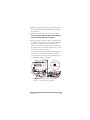
S-video cable 50
S-video connector 44, 48–50
S-video port on video
input card
appearance of 44
attaching grounding clip
to 10, 23, 35
85