1
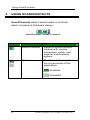
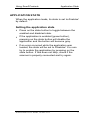
Using Scan2Contacts Application State APPLICATION STATE When the application loads, its state is set to Enabled by default. Setting the application state Press on the state button to toggle between the enabled and disabled state. If the application is enabled (green button), pressing on the state button will disable the application and the button will become gray. If an error occurred while the application was loaded, the state will be set to Disabled. You can try to enable the application by pressing on the state button. If this does not help, check if the scanner is properly connected and try again. Scan2Contact User Guide, version 2.0.1 7