1
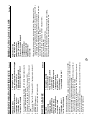
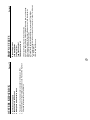
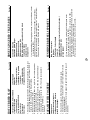
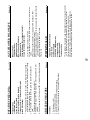
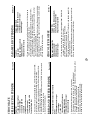
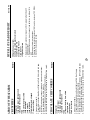
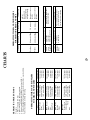
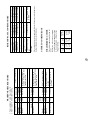
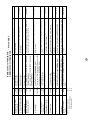
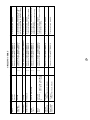
CONTENTS
Warranty
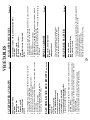
INTRODUCTION
®
INFO DISPLAY COOKING SYSTEM
Thank you for buying a Sharp Microwave Oven.
Your new oven has an "Information Display System"
which offers you step-by-step instructions to easily guide
you through each feature.
Your oven also has a HELP key for instructions on using
Auto Start, Information Guide On / Off, Demonstration
Mode, Child Lock, Info on pads and Help.
After gaining experience and confidence using your oven,
the information display can be turned off.
We strongly recommend however that you read this
operation manual thoroughly before operating your oven,
paying particular attention to the safety warnings and
special notes.
Inside of front cover
Introduction
1
Warning
2
Special Notes
3
Installation Instructions
4
Oven Diagram
4
Operation of Touch Control Panel
5
Control Panel Display
5
Touch Control Panel Layout
5
Before Operating
6
Getting Started
6
Clock Setting
6
Stop/Clear
6
To Cancel a Programme During Cooking 6
Microwave Cooking
7
Microwave Time Cooking
7
Sequence Cooking
8
Instant Cook
8
Heating without Food
Convection Cooking
To Cook by Convection
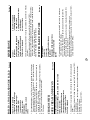
The manual is divided into two sections:
Page
9
9
9
To Preheat and Cook by Convection 10
1. OPERATION (P3~P26)
This section describes your oven and teaches you how to
use all the features.
2. COOKING GUIDE
This section is at the back of the manual, it contains the
more commonly used information such as how to prepare
food, which cooking utensil to use, standing time.
It also contains recipes for automatic cooking.
Please take some time to read your operation manual carefully, the automatic cooking menus programmed into your new
oven have been carefully developed to give optimum results
when the step-by-step instructions are followed.
When selecting another home appliance, please again consider our full range of Sharp products.
Convection and Microwave Cooking 11
Preheating
12
Grill Cooking
13
Mix Cooking
14
Automatic Operations
15
Notes for Automatic Operations
15
Sensor Instant Action
15
Reheat Sensor
16
Convenience/Pizza
17
Multi Cook
18
Easy Defrost
19
Other Convenient Features
Help Feature
20
Less/More Setting
23
Increasing or Decreasing Time
During a Cooking Programme
24
Alarm
24
Care and Cleaning
25
Service Call Check
26
Specifications
26
Cooking Guides
1
20
1 – 40