1
It is possible to put a workstation in the My Workstations list that is already
attached to another instance of EuControl running on another computer. It
cannot be attached here until it is unattached from the other instance of EuControl.
This was done to allow multiple users to share workstations without having to
frequently edit their My Workstation list.
Add B
USER GUIDE
professional control surface
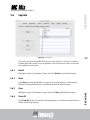
Click Add B to add the selected workstation from the All Workstations list to the
My Workstations list. If the workstation is already in the My Workstations list, it
is gray and cannot be selected.
Remove
Click Remove to remove the selected workstation from the My Workstations list.
Attach/Detach
Select a workstation in the My Workstations list and click Attach. A check mark
appears in the Attach column next to that workstation. This workstation is now
communicating with the MC Mix(es) connected to your instance of EuControl.
If the selected workstation is already attached, the button displays Detach.
43
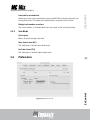
Redirect keyboard and mouse control to attached external workstation
Your Mac’s keyboard and mouse can control a second external workstation, if
desired. Select this option to redirect keyboard and mouse control to the attached
workstation. Note that the keyboard and mouse will no longer control your Mac.
If this option is not selected (default setting), your keyboard and mouse control
your Mac.
EuControl
You can manually toggle control back and forth between your Mac and the attached
external workstation by pressing ctrl+option+\.