1
7
CHA PTER
3
Operations
About Your LongView 1000 Extender
While the default settings on your LongView 1000 extender will work with most systems, you may
choose to change settings to better fit your extender system. Internal settings such as keyboard
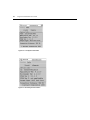
layout, emulation and hotkey sequences can be configured via the On-Screen Display (OSD), while
Flash upgrades are available via the bootloader function. The OSD also displays your system
settings and information about your connected transmitter.
NOTE: Table 3.1 lists available hotkey options to access the OSD.
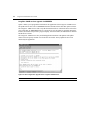
Figure 3.1: Configuration Screen