1
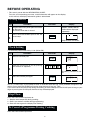
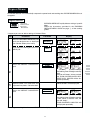
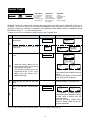
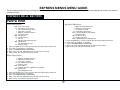
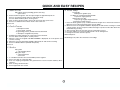
Express Cook
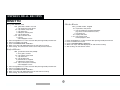
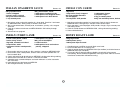
1.Roast Beef Chilled
2.Roast Beef Frozen
3.Roast Lamb Chilled
4.Roast Lamb Frozen
5.Roast Chicken Chilled
6.Roast Chicken Frozen
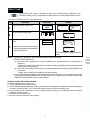
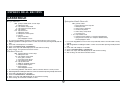
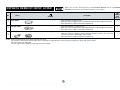
EXPRESS COOK allows you to cook 3 popular menus chilled or
frozen. To select a menu, press the desired EXPRESS COOK pad
until the menu of your choice is displayed. Then enter the desired
weight using the NUMBER pads. Follow the instructions provided
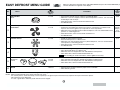
in the EXPRESS COOK MENU GUIDE on pages 6 and 7 of the
cooking guides.
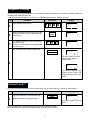
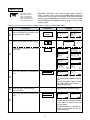
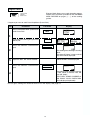
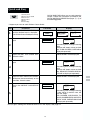
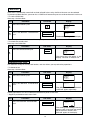
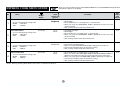
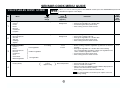
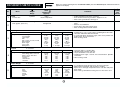
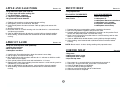
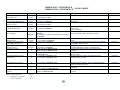
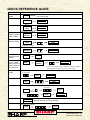
* Suppose you want to use Express Cook to cook 1.0 kg Roast Beef Chilled (Med.).
Step
1
Procedure
Pad Order
Press EXPRESS COOK pad once to
cook Roast Beef Chilled.
EXPRESS
COOK
Display
CHILLED
12345678
x1
10 KG
Press number pads to enter weight.
If you require a cooking hint, press the
HELP pad.
HELP
2
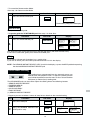
Press the INSTANT COOK/START
pad.
INSTANT COOK
START
05-30 KG
USE
NETTED
ROAST
1E
2E
3F
45678
B
PLACE ON
RACK IN
CASSEROLE
DISH
SHIELD
EDGES
WITH
FOIL
2050
12345678
2010
(R-380F)
(R-480F/R-490F(S))
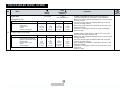
The cooking time will begin counting
down.
The oven will "beep" 4 times and will
stop TURN BEEF, OVER will be
displayed repeatedly.
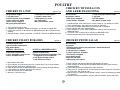
3
4
ROAST
1
B2
E3
E4
F5678
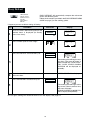
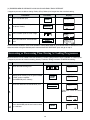
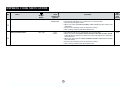
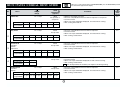
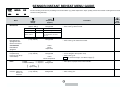
Open the door. Turn over meat.
Close the door.
Press the INSTANT COOK/START
pad.
PRESS START will be displayed.
INSTANT COOK
START
1025
12345678
1005
12345678
(R-380F)
(R-480F/R-490F(S))
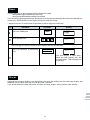
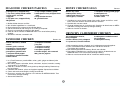
The cooking time will begin counting
to zero. When it reaches zero, the
oven will "beep".
STAND COVERED, 5-15 MIN FOIL,
ENJOY YOUR, BEEF will be displayed repeatedly.
5
You can get a cooking hint whenever HELP is lit in the display. See page 19.
12