1
Playing DVDs (Basic Playback)
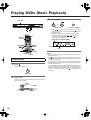
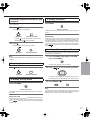
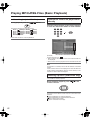
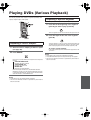
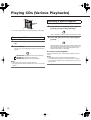
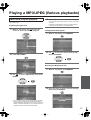
Locating a specific chapter
consecutively
You can locate consecutive chapters or tracks.
(repeatedly) to select the chapter you wish to
Press
/
start playing
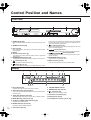
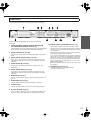
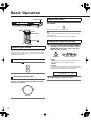
Main unit
Press
chapter.
Press
Press
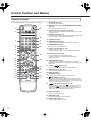
Remote controller
once to start playback from the beginning of the current
repeatedly to select the former chapters in reverse order.
repeatedly to select the next chapter in order.
Notes
> Some discs may not respond to this procedure.
> Some titles may not display chapter numbers.
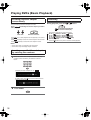
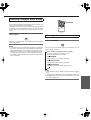
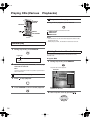
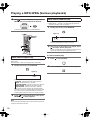
Locating a specific title and chapter
by entering the numbers
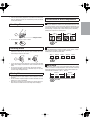
1 Select the desired title or chapter number. Press any
numeric button followed by the buttons as shown
below.
(Example) To select chapter No. 23:
2 3
To select a title, press , then use the numeric buttons to
select the desired title.
2
38
Press ENTER.
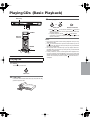
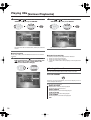
Searching
During playback, press the
or
button.
: To search backward (FR)
: To search forward (FF)
> Each press switches the searching speed.
FF 2x (
button) or FR 2x (
button)
FF 4x (
button) or FR 4x (
button)
FF 8x (
button) or FR 8x (
button)
FF 16x (
button) or FR 16x (
button)
Normal playback
> Press the button at any time to resume normal playback.