1
3
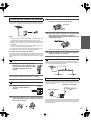
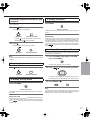
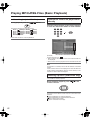
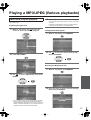
Insert track
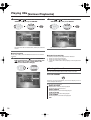
Select “ADD” icon on the screen to register
selected value onto PROGRAM LIST, then
press the ENTER button.
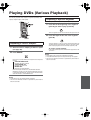
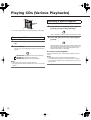
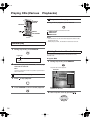
During stop mode, press the MEMORY button on the remote
controller.
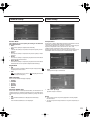
The program edit screen appears.
1
4
5
Select specific track to insert by pressing
/
.
You can select maximum 21 values by
repeating step 2 - 3.
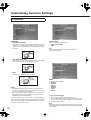
Select “PLAY ” icon on the screen. then press
ENTER to start program play.
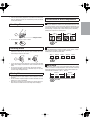
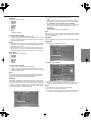
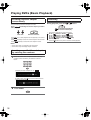
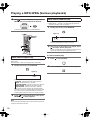
To repeat program play
During program playback, press the REPEAT button on the remote
controller.
Each press the button switches the mode.
REPEAT ONE
REPEAT ALL
REPEAT OFF
2
Move the cursor with
to the “PROGRAM
LIST” and select the column to be added with
/ . (The color of the column where the
cursor is located will change.)
Notes
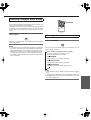
: Add value onto “PROGRAM LIST”
: Delete value from “PROGRAM LIST”
: Insert value in “PROGRAM LIST”
: Play program play
: When this icon is selected and the ENTER button
is pressed, the entire contents of the PROGRAM
LIST will be deleted, and the Program edit screen
also will disappear.
> MP3/JPEG discs can not be programmed with this program mode.
(MP3/JPEG program playback page 57)
> The unit stops when the button is pressed. To restart program
playback, press the MEMORY button, display the program screen,
select the “ PLAY” icon, and press the ENTER button.
“ADD” icon
“DELETE” icon
“INSERT” icon
“ PLAY” icon
“CLEAR” icon
55