1
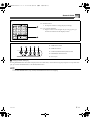
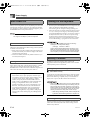
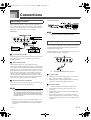
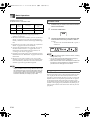
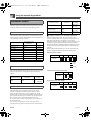
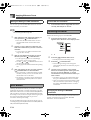
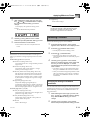
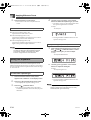
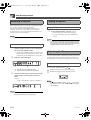
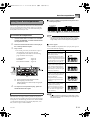
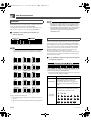
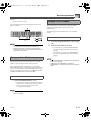
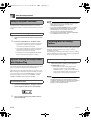
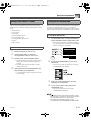
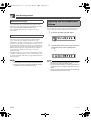
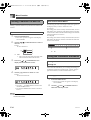
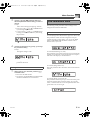
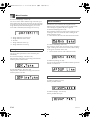
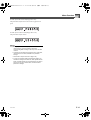
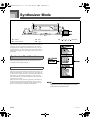
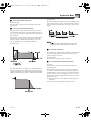
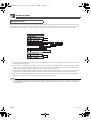
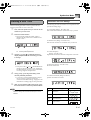
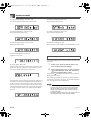
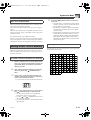
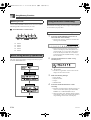
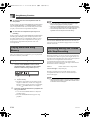
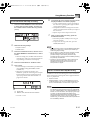
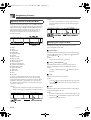
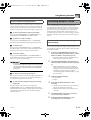
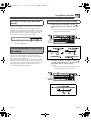
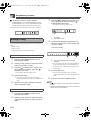
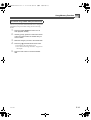
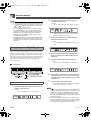
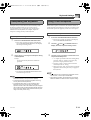
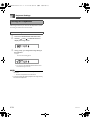
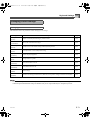
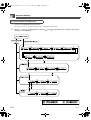
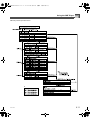
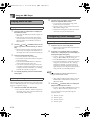
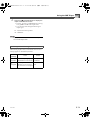
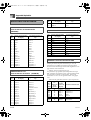
CTK691E01-01.book 58 ページ 2003年9月29日 月曜日 午後4時47分 Song Memory Function Specifying Chords in the Normal Mode When the accompaniment mode is set to NORMAL during step recording, you can specify chords using a method that is different from CASIO CHORD and FINGERED fingerings. This chord specification method can be used to input 18 different chord types using only two keyboard keys, so chords can be specified even if you don’t know how to actually play them. Example 2: To input Gm/C, hold down C and G on the root input keyboard and press the m key on the chord type input keyboard. Specifying the Length of a Note 1 2 3 4 5 6 7 8 9 bk bl bm bn bo bp bq br bs Major Minor Augmented Diminished Suspended four Seventh Minor seventh Major seventh Minor major seventh Seventh flat five Minor seventh flat five Seventh suspended four Diminished seventh Minor add ninth Add ninth Minor sixth Sixth Six ninth During step recording, the number buttons are used to specify the length of each note. J Note lengths Use number buttons [1] through [6] to specify whole notes ( ), half notes ( ), quarter notes ( ), eighth notes ( ), 16th notes ( ), and 32nd notes ( ). Example: To specify a quarter note ( ), press [3]. J Dots ( ) and triplicates ( ) While holding down the [7] (dot) or [9] (triplicate), use buttons [1] through [6] to input the lengths of the notes. Example: To input a dotted eighth notes ( ), hold down [7] and press [4]. J Ties To specify a chord, hold down the key on the root input keyboard that specifies the root, and press the key in the chord type input keyboard to specify the chord type. When inputting a chord with a specified bass note, pressing two keys of the root input keyboard causes the lower note to be specified as a bass note. Input the first and then the second note. Example 1: J Rest To input Gm7, hold down G on the root input keyboard and press the m7 key on the chord type input keyboard. Example: To input , press [4] and then [8]. Next, press [5]. This note will be tied to the next note you input (16th note in this example). Hold down [0] and then use number buttons [1] through [9] to specify the length of the rest. Example: To input an eighth note rest, hold down [0] and press [4]. Pressing the [ ] CURSOR button inputs rests up to the beginning of the next measure E-58 705A-E-060A