1
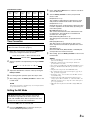
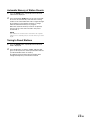
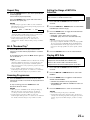
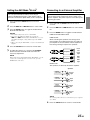
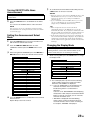
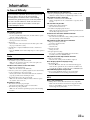
Setting the AUX Mode (V-Link)
You can input TV/video sound by connecting an
optional Ai-NET/RCA Interface cable (KCA-121B) or
Versatile Link Terminal (KCA-410C) to this component.
1
2
3
Press and hold the SETUP button for at least 3
seconds.
Press the f UP or g DN button to select “AUX.”
Press the BAND button to toggle the mode between
AUX ON and AUX OFF.
NOTES
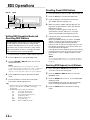
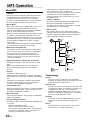
Connecting to an External Amplifier
When an external amplifier is connected, sound quality
can be improved by stopping the power supply of the
built-in amplifier. The power output is set to OFF by the
following procedure.
1
2
3
• The initial setting at the factory is AUX OFF.
• You can set the AUX mode display by pressing the
g DN or f UP button after AUX IN ON is set, select
the AUX mode display setting, and then press the BAND
button.
• When connecting the KCA-410C, you can set two AUX mode
displays.
4
5
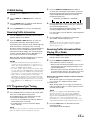
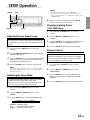
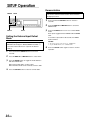
Press and hold the SETUP button for at least 3
seconds.
Press the f UP or g DN button to select "PWRIC".
Press the BAND button to toggle the mode between
PWR-IC ON and PWR-IC OFF.
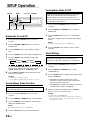
PWR-IC OFF:
When activating the speakers, this setting can be
performed by connecting between the front and rear
pre-amplifier of the unit and the external amplifier. In
this setting, nothing is output to the speakers.
Press the SETUP button to return to normal mode.
To adjust the volume, etc., first press the SOURCE
button and select the AUX mode, then make the
necessary adjustment.
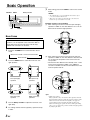
Front
left
Amplifier
Front
right
NOTE
When using the Versatile Link Terminal (KCA-410C), you can
connect two external inputs. To select the mode, press the
BAND button on the unit.
Rear
left
Amplifier
Rear
right
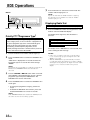
PWR-IC ON :
The speakers are driven by the built-in amplifier.
Speakers
SPEAKER
RIGHT FRONT
SPEAKER
RIGHT REAR
SPEAKER
LEFT REAR
SPEAKER
LEFT FRONT
Front
right
Rear
right
Rear
left
Front
left
NOTE
No sound is produced by the system when the power output is
set to OFF.
4
Press the SETUP button to return to normal mode.
25-EN