1
Getting to Know Your Device
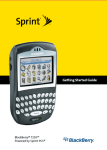
Getting to Know Your BlackBerry® 7130eTM
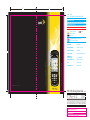
The BlackBerry® 7130eTM
Power button
Notification LED
Headset jack
USB port
Trackwheel
Select or click an item
Escape button
Exit a screen
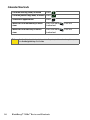
Convenience key
Open a list of useful links or
set to open a selected
program
Send key
Make a phone call
End key
End a phone call
Return to the Home screen
Symbol key
Open the symbol list
Backspace/Delete key
Alt key
Type the alternate
character on a key
Enter key
Shift key
Type a capital letter
Next key
Move through a list
Navigating With Your Device
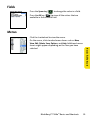
Roll the trackwheel to move the cursor and highlight items on the
screen.
Click (press) the trackwheel to open the menu or select items.
Press the Escape button to exit a screen, cancel an action, or go
back one page in the browser.
TM
Getting to Know Your BlackBerry® 7130e
1