1
RIGOL
5.
3 Programming Demos
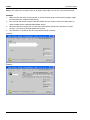
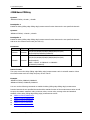
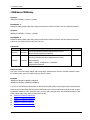
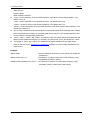
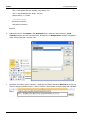
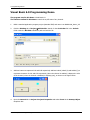
Double-click CH1 to enter the programming environment. Add the following codes to control CH1
and CH2. The codes of CH1 are as shown below; the codes of CH2 are similar.
Dim defrm As Long
Dim vi As Long
Dim strRes As String * 200
Dim list As Long
Dim nmatches As Long
Dim matches As String * 200
Dim s32Disp As Integer
' acquire the usb source of visa
Call viOpenDefaultRM(defrm)
Call viFindRsrc(defrm, "USB?*", list, nmatches, matches)
' Open the device
Call viOpen(defrm, matches, 0, 0, vi)
' Send the command to query the status of CH1
Call viVPrintf(vi, ":CHAN1:DISP?" + Chr$(10), 0)
' Acquire the status of CH1
Call viVScanf(vi, "%t", strRes)
s32Disp = CInt(strRes)
If (s32Disp = 1) Then
' Send the setting command
Call viVPrintf(vi, ":CHAN1:DISP 0" + Chr$(10), 0)
Label1(0).ForeColor = &H808080 'Gray
Else
Call viVPrintf(vi, ":CHAN1:DISP 1" + Chr$(10), 0)
Label1(0).ForeColor = &HFFFF& 'Yellow
End If
' Close the device
Call viClose(vi)
Call viClose(defrm)
6.
Save and run the project and a single exe program will be obtained. When the oscilloscope is
correctly connected to the PC, the ON/OFF control of any channel can be realized.
3-14
MSO2000A/DS2000A Programming Guide