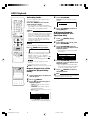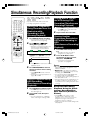
1
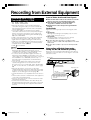
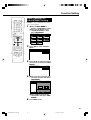
Recording to DVD
2
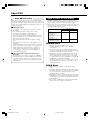
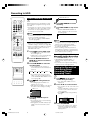
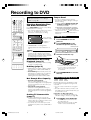
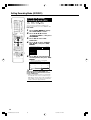
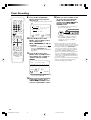
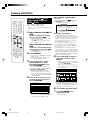
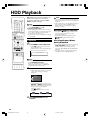
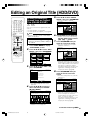
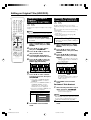
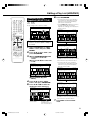
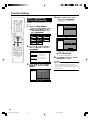
Set a DVD-RW or DVD-R disc.
• When a new DVD-RW disc not
initialized yet is set, VR mode
initializing starts automatically. When
initializing is over, you can start
recording.
• When you want to re-initialize in Video
mode, select “DVD VIDEO MODE
INIT.” screen (page 95).
• When you want to initialize in Video
mode from the beginning, select
“AUTO INITIALIZING” screen (page
95).
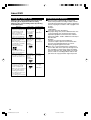
3
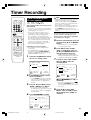
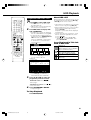
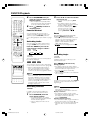
Press Number buttons or CH ' /
" to select the channel to record.
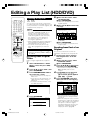
4
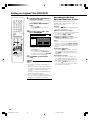
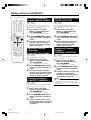
Press REC MODE to select the
desired recording mode.
• The recording mode changes as
shown below each time the button is
pressed.
FINE
SP
LP
EP
MNgg
• Recording mode set when “MNgg”
is selected is the recording mode set
on the “MANUAL REC. MODE”
screen (page 38).
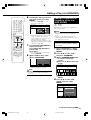
5
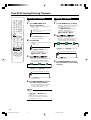
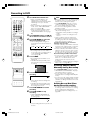
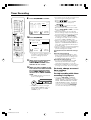
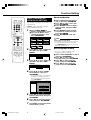
Press ● REC.
• Recording begins and REC icon is
displayed.
• The REC indicator (for DVD) on the
front of the Recorder is lit red during
recording.
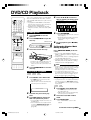
DVD-RW
REC
VR OR I G I N AL
F I NE REMAIN 1h0m
1 / 1
1 / 1
0 0 : 0 0 : 0 1
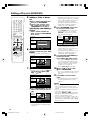
6
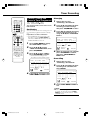
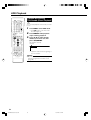
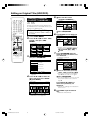
Press REC PAUSE to pause
recording.
• Pause will not function during timer
recording.
• The REC indicator (for DVD) on the
front of the Recorder blinks during
Recording Pause mode.
7
Press REC PAUSE to resume
recording.
8
Press REC STOP to stop
recording.
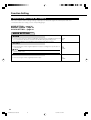
NOTE
• Data is still written to the disc after recording
is stopped, and so you may be unable to
start the next recording immediately.
• Press ON SCREEN (under the cover) to
confirm remaining time of DVD or check
the counter display during recording.
• You cannot record programmes which
prohibit recording.
• Recording either stops or pauses automatically in the following cases.
—Programme which prohibits recording is
on air.
—Unable to continue recording for some
reason.
• Timer recording cannot be performed
during direct recording. To perform timer
recording, stop direct recording before the
preset time for timer recording.
You may not be able to record on disc
edited by other recorder.
• If a disc edited by other DVD recorder has
more than 999 chapter marks, it cannot be
edited (or recorded) with this Recorder.
• If a disc edited by other DVD recorder has
added or erased scenes 51 times or more
per title or the disc is protected, it cannot
be edited (or recorded) with this Recorder.
About Recording to DVD in Video Mode
• In case you are recording to DVD in Video
mode and recording stops due to power
failure etc., recorded contents a few
minutes before the stop may not be
recorded.
• For details on limitation during recording in
Video mode, see page 45 too.
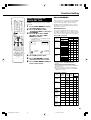
Inserting Chapter Marks
Manually during Recording
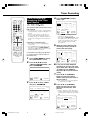
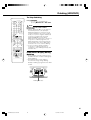
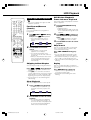
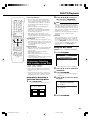
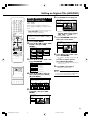
Press CHAPTER MARK (under the cover).
• “RECORDED CHAPTER MARK.” displays
and chapter mark is recorded.
• You can only record chapter marks
manually when recording to DVD-RW (VR
mode).
• You cannot record chapter marks manually
when recording to DVD-RW (Video mode)
or DVD-R, or during Simultaneous Recording/Playback.
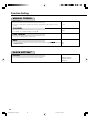
Setting Record End Time
during Direct Recording
• You can set record end time during direct
recording to DVD. For details see “Setting
the Record End Time during Direct
Recording (Simple Recording Timer)” on
page 34.
• “DATA IS BEING RECORDED TO
DISC.” displays on TV screen and
recording stops.
• Stop recording first when you take out
the disc.
36
DV-HR350X/300X-031-036
36
2004.4.8, 1:06 PM