1
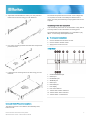
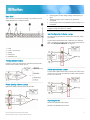
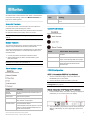
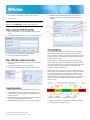
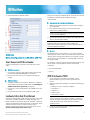
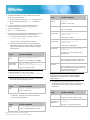
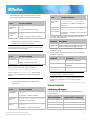
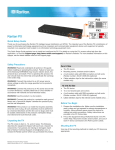
2. Adjust slide-rail assemblies to match your rack posts and fasten them to the rack using your own fasteners. The PX3TS will operate when the branch circuit voltages are out of phase, but works most reliably and fastest when in phase. The front panel Phase Sync lamp lights if inlets are out of phase. Connecting Power and Equipment Your PX3TS may have fuses or circuit breakers. Verify that all are firmly seated or set to ON before connecting power. The PX3TS inlets are labeled INLET 1 (I1) and INLET 2 (I2). INLET 1 is the factory default preferred inlet. To make power connections: 3. Line up the mounting brackets with slide-rails and push this product into rails. 4. Fasten the front mounting ears to the rack using your own fasteners. 1. Connect PX3TS inlets to branch circuits. 2. Connect loads to PX3TS outlets. 3. Apply power to branch circuits. QS Rule Front View 1. CONSOLE/MODEM port 2. USB-B port 3. ETHERNET port 4. SENSOR port 5. USB-A port 6. FEATURE port 7. LCD display 8. LCD control buttons 9. Transfer switch status indicators 10. Transfer switch alarm indicators 11. Transfer switch control buttons QS Rule QS Rule Inlet and Outlet Power Connections The PX3TS connects to two different, but identically rated, branch circuits. PX3TS Transfer Switch Quick Setup Guide QSG-PX3TS-0A-v2.6-E 255-80-0032-00 RoHS 2