1
2. Load the top drive (reader) with the master disc and load the lower drive
(writer) with high-quality blank DVD-R, DVD+R, or CD-R media.
3. Press the ENT button to start the process. The unit will analyze the master
disc, and the source disc. This may take a few moments.
If the blank target disc has already been written to, or is damaged and
cannot be written to, the LCD will display the message Target Drive Not
Ready. If the data on the master disc will not fit on the blank target media then
the LCD display will read Target Overflow.
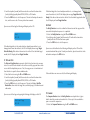
Upon successful testing the following will display on the LCD.
4. VERIFY
The Verify Function is used to confirm that the master and the copy read the
same after the duplication process is completed.
1. Select the Verify Function using the UP and DOWN arrows.
2. Load the top drive (reader) with the master CD and load the lower drive
(writer) with the CD-R that has been copied.
3. Press the ENT button to start the process.
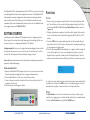
Test
OK: 01
If the blank target disc in the writer drive has already been written to, or is
damaged and cannot be written to, the LCD will display the message: Target
Drive Not Ready. If the data on the master disc will not fit on the blank target
media, the LCD display will read Target Overflow.
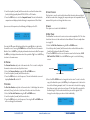
Upon successful verification the following will display on the LCD and the
recorded media will be ejected. To verify another disc, place the next disc in the
writer drive and press the ENT button.
3. TEST AND COPY
The Test and Copy Function incorporates the first two functions into one operation. It is used to check whether a disc will successfully copy and then continues on with the duplication process. First, the copy process is simulated and
then the data is copied to the recordable media.
1. Select the function using the UP and DOWN arrows.
2. Load the top drive (reader) with the master disc and load the lower drive
(writer) with high-quality blank DVD-R, DVD+R, or CD-R media.
3. Press the ENT button to start the process. The unit will display Test The
Master Disc, then check the target disc, and finally copy to the blank recordable media.
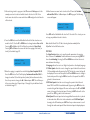
Upon successful testing and copying the following will display on the LCD.
Test and Copy
OK: 01
1-888-800-4041
Verify
OK: 01
If the verification was unsuccessful, the following will display:
Verify
F->
Fail: 01
5. COMPARE
The Compare Function takes the Verify Function one step farther—it gives
details about the master and recorded disc. It also ejects the recorded disc
upon a successful comparison.
1. Select the Compare Function using the UP and DOWN arrows.
www.discmakers.com
T
Functoins
05