1
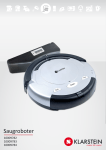
INTELLIGENT CLEANER
Model No.M-288
Auto Charging With Remote Controller
OPERATING MANUAL
INTELLIGENT CLEANER
OPERATING MANUAL
Dear customers,
Thank you for using our Intelligent Vacuum Cleaner!
The Intelligent Cleaner is our creation and manufactured by using our own mechanical electronic technology. It can be used widely in your family, office and entertainment
places. Also it can go to work in places where workers are not easily accessible. With
the help of this intelligent Cleaner, the quality of your life is enriched.
The Cleaner is only recommended for indoor use. It can be used to clean floor surfaces
including hardwood, linoleum, tile and low-to medium-pile carpets. If you want your
hardwood or tile floor brighter, you should clean the brush after it clean the floor, and
then scoop up some liquid wax use the spoon and start the Cleaner again. The fashion flat design facilitates its cleaning under sofa, tea table and bed, etc. Its convenient
remote control function enables a freely operation. Its special hi-tech intelligent design
enable the Cleaner to automatically seek the charger for charging.
-1-
INTELLIGENT CLEANER
OPERATING MANUAL
When you unpack its box, you will get your Intelligent Cleaner together with the following attachments:
1. Virtual Wall Unit X 1
2. Battery Charger X 1
3. Rechargeable Battery Pack (Installed) X 1
4. Spoon X 1
5. Charging base plate X 1
6. Filter Mesh X 1
7. Remote Controller X 1
8. Side Brush X 1
9. Dust Brush X 1
10. Operating Manual X 1
Intelligent Cleaner
Virtual Wall Unit
Spoon
Charging base plate
Dust Brush
Side Brush
Remote Controller
Rechargeable Battery
Filter Mesh
-2-
Charger
INTELLIGENT CLEANER
OPERATING MANUAL
Intelligent Cleaner is installed with:
Charging indicator
Infrared sensor
Function button
Charging
touch plate
Easy to grab handle
Removable particle bin
Surface
Rechargeable battery
Main brush
11) Filter mesh
Side brush
Vacuum inlet lid
Power switch
Battery charger socket
Bottom
-3-
INTELLIGENT CLEANER
OPERATING MANUAL
After the introduction of the Intelligent Cleaner,
please note the following operating procedures:
1. Please ensure the battery is fully charged before starting the Cleaner.
2. Please tidy unfixed articles on the floor before using the Cleaner, and keep it from
the
spikes at edge of carpet and power lines, etc. on the floor as possible.
3. Turn on its main power start button, there are three start buttons: Spot, Clean and
A. Spot mode: The Cleaner can make repeated screw type cleaning within the
scope of 3 feet of diameter, focusing to clean a spot for 4 minutes.
It’s applicable for cleaning the room where is dirty at partial places.
B. Clean mode: The Cleaner will automatically clean the room for 30 minutes. The
mode is applicable for cleaning small room.
C. Max mode: The Cleaner won’t stop running until complete consumption of is
power. The working time is excess 60 minutes.If the auto charging
base plate is used, the Cleaner will automatically return to it for
charging.
D. Timing mode: The cleaning time can be set by the time setting key on the charging
base plate. The Cleaner will leave the auto charging base plate to
work as per the pre-set time and the cleaning time is 60 minutes,
and
4. If you don’t want your Cleaner to clean those areas beyond your desired cleaning
area,
It’s better to put the Virtual Wall Unit behind the
Infrared ray
-4-
INTELLIGENT CLEANER
OPERATING MANUAL
5. When wrong start button is pressed, the other start switch needs to be pressed twice
before cleaning.
6. The max working time for the Cleaner is about 60 minutes, which can meet the
requirements for cleaning a normal room. If the battery power is about to run out, the
battery life indicator will become red, and it will stop working. Charging of battery is
needed.
Please see the following drawing for operating
the Virtual Wall Unit:
Power Indicator
Range Selector Switch
Infra-red wave emitter
Power switch
Virtual Wall Unit uses two (1# dry battery) to divide the infrared emission distance into
three gears as following drawing:
over 7M
3-7 M
0-3 M
Caution
You can select according to your cleaning
condition.
Do not use the infrared wave emitter to point at the eyes!
Refer to the following drawing for charging method and use of auto charging socket:
Signal sensor
LCD display
Charging touch plate
Function setting key
-5-
INTELLIGENT CLEANER
OPERATING MANUAL
Outlet
Wall fixing plate
Battery charger socket
EVA paste
Fig.1
Outlet
Battery charger socket
Fig.2
1. Installation and use method for auto charging
base plate:
a. The Cleaner may be charged directly by the charger (as the Fig.2 shows) as well
as by auto charging base plate (as Fig.1 shows). If the battery is about to be run out,
the indicator will turn red and the Cleaner will automatically stop cleaning and seek the
charging base plate for charging.
b. For charging with auto charging base plate, the plug of charger should be ensured to be inserted into the DC socket at back of the base plate (as the Fig.1), meanwhile, the screen on the base plate will display the time, etc.
c. The charging base plate must be installed reliably and be placed on the floor with
the back on the wall as the following figure and no object is padded under it. The base
plate may be fixed on the wall by the soft glue on the wall fixing plate.(Remove the paper on the soft glue with hand and fix the charging base plate on the wall with it).
-6-
INTELLIGENT CLEANER
OPERATING MANUAL
d. If the room is too large and the Cleaner can not find the charging base plate immediately and stop seeking, you may manually return it to the base plate. The method
is: place the Cleaner 1.5m before the base plate, and then press the power switch and
MAX key. Or the Cleaner return near to the base plate and it will automatically find it
and begin to charge.
2. Instructions on the function of keys on the auto
charging base plate:
A. Clock function
a. Press the Clock key to adjust the time of clock as per the Fig.1.
b. Press the Clock key for three times and respectively adjust hour, minute and
week.
Press +/- key to adjust the specific parameters. After setting the time, press the
Clock key and the clock setting is ok. At this time, there is “1” before the time
Timing key
Clock key
-7-
INTELLIGENT CLEANER
OPERATING MANUAL
B. Timing cleaning function
Press the Timing key to set the alarm time, and the Cleaner will automatically work
as per the set specified time with the specific operating methods as the follow:
a. Press Timing key to set the hour. It can be adjusted by the key +/-.
b. Press again Timing key to set the minute. It can be adjusted by the key +/-.
c. Press Timing key for three times and the screen will display OFF. At such time,
the alarm function is off. If you want to turn on alarm, you may press + key, the screen
will display ON and then press again Timing key.
d. After it displays on for alarm setting, there will be “2” displayed before the time in
the screen.
Clock key
Timing key
C. Auto cleaning function
a. The Cleaner will automatically work after being fully charged.
b. Press Full Go key, there will be a broom marking displayed at lower right corner
of the screen, which means the function is on. Press the key again, the broom marking
will disappear, which means the function is off.
c. There is a charging dynamic marking flashing on the screen when the Cleaner
is charging on the auto charging base plate. Meanwhile, the battery indicator will flash.
If it turns green, it means it has been fully charged and is able to work. Generally, the
charging time is 4-6 hours.
Clock key
Timing key
-8-
INTELLIGENT CLEANER
OPERATING MANUAL
Caution
1. For the purpose of ensuring the Cleaner is automatically charged, regularly wipe
the charging contact at front plate of the unit and the dome on the base plate with dry
cloth, so as to keep it free of dust, otherwise it may result in poor contact.
2. The charging base plate should be kept at open place as possible, and do not
place any obstacle within the range of 1.5m semidiameter, in case of affecting its auto
charging.
3. The Cleaner should be matched with the attached charger and the used power
should confirm to it. Do not use any other charger and battery, otherwise it will lead to
damages of the unit.
4. In order to prolong the service life of the battery, it should be charged for 8-9
hours for the first use or when being used again after long time. It only can reach its
Use the infrared remote controller by referring to the following drawing:
Power key
Clean key
Spot key
Indicator
Max key
Direction key
-9-
INTELLIGENT CLEANER
OPERATING MANUAL
The cleaner can be controlled to clean by the infrared remote controller. As the
above drawing, three keys: Spot, Clean and Max is respectively for three work modes.
By direction key, it can operate the Cleaner to work in different directions. The P key
is for powering on/off. Press the P key, the indicator on the panel will be off and the
Cleaner enter Sleep mode, which enable to save energy maximally in non-operating
state. Press again the P key on the panel, the indicator will be on, and the unit will enter
the Standby stage, waiting for the next command.
When the Virtual Wall and remote controller are used in the same area, as they all
use the infrared signal, which may lead to temporary failure for the remote controller,
you may operate the remote controller after turning off the Virtual Wall or the unit being
far from the Virtual Wall.
Intelligent cleaner is user-friendly very little maintenance required after use to ensure optimal performance please observe the following procedures:
Empty the removable particle bin in following two
procedures:
1. Empty the bin
a. Turn off the power switch.
b. Press down the bin clip and pull out the bin as following illustrations:
c. Clear the bin.
d. In inserting the bin, press the clip on the bin for facilitating inserting.
2. Clean the filter mesh
a. Turn the bin upside down.
b. Press the bottom slightly, take the filter mesh out as following drawing:
- 10 -
INTELLIGENT CLEANER
OPERATING MANUAL
c. Clear the dirt on the filter mesh.
d. Fit the filter mesh back to the bin.
Press the clip slightly and put the bin back to the Cleaner.
Clean the main brushes of the Cleaner
1. Turn off the power switch and put the Cleaner on flat surface with its bottom up.
2. Use cross head screwdriver to remove the fixing screw on the right, and then take
out the main brush, rubber brush and brush coupler together as shown in the following
drawing.
Brush coupler.
- 11 -
INTELLIGENT CLEANER
OPERATING MANUAL
3. Clean the chamber where the brush is located and the contaminants on brush
and rubber brush.
4. Wipe out dirt on the metal shaft and bearing of the brush coupler and the brushes
(this may not be necessary to do after every cleaning) as per following drawings. If necessary, you may add a little lubricant to it.
5. Put the brush coupler and brushes back and tighten the screw.
Clean the vacuum inlet lid
1. Turn off the power switch; turn the Cleaner upside down on flat surface.
2. Take the Vacuum Inlet Lid out as per following drawing:
3. Clean the Vacuum Inlet Lid and the fan-shaped mechanism to ensure good
ventilation.
4 .Guide the hinge tabs on the Vacuum Inlet Lid back into their holes carefully.
- 12 -
INTELLIGENT CLEANER
OPERATING MANUAL
Method for replacement of side brush
The side brush is consumable. See the following picture for the replacement method.
Bottom
Fig. 1
Fig. 2
1. Screw out two screws as per the Fig.1.
2. Turn the side brush to the extent that the screwdriver can be inserted as per the
Fig.2, loosen the screen, take off the old brush and replace with new one.
3. Install the side brush and bottom housing in adverse order.
Intelligent path judgment
Intelligent Cleaner is intelligently controlled so it operates powerfully and can avoid
any obstruction or even will not fall down from a table, staircase or pathway.
- 13 -
INTELLIGENT CLEANER
OPERATING MANUAL
Caution
Please remove small objects such as vase, small paper box etc. which
can be subject to knock down by cleaning, so it must clear these
things first before the Cleaner to carry out its work.
The Intelligent Cleaner is a vacuum cleaning device
which can control dust, so it has wonderful cleaning function. Attention should be paid to the following
1. It is switched on but stop after the short music playing, this may mean the battery is
low
or off and charging is needed.
2. Please do not use the Cleaner high-pile carpets.
3. To avoid use Cleaner where there are objects such as clothing, power cords, towels,
etc. As these things may entangle the brushes of the Cleaner.
4. It is good to turn off the power switch after used the cleaner and must be fully
charged
if it’s not used for a long time. Take battery out of the unit and store the battery and
- 14 -
Troubleshooting:
1. What should we do if the Cleaner is dropped down from the edge of stairs?
Solution: Wipe away the dust for the probe at the bottom of the front plate with dry
cloth.
2. How to deal with it if the Cleaner stop running and all indicators are on during cleaning?
Solution: Check whether there are large or bar-shaped junks blocked in the main
brush or left and right wheel, and clean the bin if it’s full.
3. How to deal with it if the Cleaner fixes at one place and rotates?
Solution: Check whether there are junks blocked at the left and right wheel and clean
away the dust on the probe at the bottom.
4. What should we do if the Virtual Wall doesn’t work?
Solution: Place the Virtual Wall unit at the right place. Please replace the battery for
the Virtual Wall if the green indicator keeps flashing.
5. What should we do if the battery can’t be recharged?
Solution: Firstly, check whether the battery is correctly installed and you should
hear two sounds when installing the battery. Then check whether the contact on the
front plate and dome on the base plate is dirty. If it can’t be charged on the base plate,
please directly use the charger for the unit to charge.
6. How should we do if the Cleaner can not find the charging base plate?
Solution: The base plate will product infrared signal and it only can return to the base
plate after finding the signal. You should confirm the power is on for the base plate and
do not use the Virtual Wall near the base plate as its signal may affect to find the position of the base plate. If your room is large, it is possible for the Cleaner can not find the
base plate after cleaning. In such circumstances, you should re-place the base plate
and do not put any obstacles 3-4m before it.
7. What should we do if the Cleaner do not perform timing cleaning function?