1
Thank you for purchasing this SHARP product.
To obtain the best performance from this product, please read this manual
carefully. It will guide you in operating your SHARP product.
MICRO COMPONENT SYSTEM
MODEL
XL-MP150E
OPERATION MANUAL
XL-MP150E Micro Component System consisting of XL-MP150E (main unit) and
CP-MP150E (speaker system).
XL-MP150E
Special notes
General Information
Warning:
When the ON/STAND-BY button is set at STAND-BY position,
mains voltage is still present inside the unit. When the ON/
STAND-BY button is set at STAND-BY position, the unit may be
brought into operation by the timer mode or remote control.
This unit contains no user serviceable parts. Never remove covers
unless qualified to do so. This unit contains dangerous voltages,
always remove mains plug from the socket before any service operation and when not in use for a long period.
To prevent fire or shock hazard, do not expose this appliance to
dripping or splashing. No objects filled with liquids, such as vases,
shall be placed on the apparatus.
Note for users in Australia:
Copyright may exist in material you wish to record. Copying or broadcasting such material without permission of the relevant licensees or
owners of the copyright is prohibited by law. SHARP is not in a position to authorise the copying or broadcasting of copyright materials
and nothing in this OPERATION MANUAL should be implied as giving that authority.
CAUTION
This product is classified as a CLASS 1 LASER product.
Use of controls, adjustments or performance of procedures other
than those specified herein may result in hazardous radiation
exposure.
As the laser beam used in this compact disc player is harmful to
the eyes, do not attempt to disassemble the cabinet. Refer
servicing to qualified personnel only.
Laser Diode Properties
Material: GaAIAs
Wavelength: 795 nm
Emission Duration: continuous
Laser Output: max. 0.6 mW
CAUTION-INVISIBLE LASER RADIATION WHEN OPEN.
DO NOT STARE INTO BEAM OR VIEW DIRECTLY WITH
OPTICAL INSTRUMENTS.
WARNUNG-UNSICHTBARE LASERSTRAHLUNG WENN GERÄT
GEÖFFNET. NICHT IN DIE STRAHLUNG SCHAUEN ODER
DIREKT MIT OPTISCHEN HILFSMITTELN BETRACHTEN.
ATTENTION-RAYON LASER INVISIBLE EN CAS D'OUVERTURE.
NE PAS REGARDER LE FAISCEAU DIRECTEMENT OU AVEC DES
INSTRUMENTS OPTIQUES.
For other countries:
Audio-visual material may consist of copyrighted works which must
not be recorded without the authority of the owner of the copyright.
Please refer to the relevant laws in your country.
2
03/12/17
XL-MP150E 02-08.fm
Contents
Supply of this product does not convey a license nor imply any right
to distribute content created with this product in revenue-generating
broadcast systems (terrestrial, satellite, cable and/or other distribution channels), revenue-generating streaming applications (via Internet, intranets and/or other networks), other revenue-generating
content distribution systems (pay-audio or audio-on-demand applications and the like) or on revenue-generating physical media (compact discs, digital versatile discs, semiconductor chips, hard drives,
memory cards and the like). An independent license for such use is
required. For details, please visit http://mp3licensing.com.
MPEG Layer-3 audio coding technology licensed from Fraunhofer
IIS and Thomson.
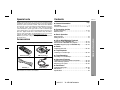
Accessories
XL-MP150E
Page
General Information
Precautions . . . . . . . . . . . . . . . . . . . . . . . . . . . . . . . . . . . . . . . . . 4
Controls and indicators . . . . . . . . . . . . . . . . . . . . . . . . . . . . .5 - 7
Preparation for Use
System connections . . . . . . . . . . . . . . . . . . . . . . . . . . . . . . .8 - 10
Remote control . . . . . . . . . . . . . . . . . . . . . . . . . . . . . . . . . . . . . 11
Basic Operation
General control . . . . . . . . . . . . . . . . . . . . . . . . . . . . . . . . . . . . . 12
Setting the clock . . . . . . . . . . . . . . . . . . . . . . . . . . . . . . . . . . . . 13
CD or MP3/WMA disc Playback
Please confirm that the following accessories are included.
Listening to a CD or MP3/WMA disc . . . . . . . . . . . . . . . . .14 - 16
Advanced CD or MP3/WMA disc playback . . . . . . . . . . . .17 - 19
MP3/WMA navigation (only for MP3/WMA files) . . . . . . . .20 - 23
Radio
Listening to the radio . . . . . . . . . . . . . . . . . . . . . . . . . . . . .24 - 25
Tape Playback
Listening to a cassette tape . . . . . . . . . . . . . . . . . . . . . . . .26 - 27
Remote control 1
AM loop aerial 1
Tape Recording
Recording on a cassette tape . . . . . . . . . . . . . . . . . . . . . . .27 - 29
General Information
Special note
Advanced Features
Listening to sound from a USB-connected PC . . . . . . . . .30 - 34
Timer and sleep operation . . . . . . . . . . . . . . . . . . . . . . . . .35 - 38
Enhancing your system . . . . . . . . . . . . . . . . . . . . . . . . . . .39 - 40
References
FM aerial 1
Note:
Only the above accessories are included.
USB cable 1
Troubleshooting chart . . . . . . . . . . . . . . . . . . . . . . . . . . . . .40 - 42
Maintenance . . . . . . . . . . . . . . . . . . . . . . . . . . . . . . . . . . . . . . . . 43
Specifications . . . . . . . . . . . . . . . . . . . . . . . . . . . . . . . . . . . . . . 44
3
03/12/17
XL-MP150E 02-08.fm
XL-MP150E
Precautions
General
Please ensure that the equipment is positioned in a well ventilated
area and ensure that there is at least 10 cm (4") of free space
along the sides, top and back of the equipment.
10 cm (4") 10 cm (4")
10 cm (4")
/
ASPM
PTY.TI
SEARCH
DISPLAY
MODE
USB
10 cm (4")
General Information
Do not remove the outer cover, as this
may result in electric shock. Refer internal service to your local SHARP service
facility.
Use the unit on a firm, level surface free from
vibration.
/
ASPM
PTY.TI
SEARCH
DISPLAY
MODE
USB
Keep the unit away from direct sunlight,
strong magnetic fields, excessive dust,
humidity and electronic/electrical equipment (home computers, facsimiles, etc.)
which generate electrical noise.
Do not place anything on top of the unit.
Do not expose the unit to moisture, to temperatures higher than
60˚C (140˚F) or to extremely low temperatures.
If your system does not work properly, disconnect the AC power
lead from the wall socket. Plug the AC power lead back in, and
then turn on your system.
In case of an electrical storm, unplug the
unit for safety.
The ventilation should not be impeded by
covering the ventilation openings with
items, such as newspapers, tablecloths,
curtains, etc.
No naked flame sources, such as lighted candles, should be
placed on the apparatus.
Attention should be drawn to the environmental aspects of battery
disposal.
This unit should only be used within the range of 5˚C - 35˚C
(41˚F - 95˚F).
Warning:
The voltage used must be the same as that specified on this unit. Using this product with a higher voltage other than that which is specified is dangerous and may result in a fire or other type of accident
causing damage. SHARP will not be held responsible for any damage resulting from use of this unit with a voltage other than that which
is specified.
Volume control
The sound level at a given volume setting depends on speaker efficiency, location and various other factors. It is advisable to avoid exposure to high volume levels, which occurs whilst turning the unit on
with the volume control setting up high, or whilst continually listening
at high volumes.
Hold the AC power plug by the head when
removing it from the wall socket, as pulling
the lead can damage internal wires.
4
03/12/17
XL-MP150E 02-08.fm
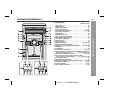
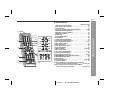
Controls and indicators
XL-MP150E
/
USB
CD
Reference page
1. Disc Trays . . . . . . . . . . . . . . . . . . . . . . . . . . . . . . . . . . . . . . . 15
2. Timer Indicator . . . . . . . . . . . . . . . . . . . . . . . . . . . . . . . . . . . 36
3. On/Stand-by Button . . . . . . . . . . . . . . . . . . . . . . . . . . . . . . . 12
4. Clock/Timer Button . . . . . . . . . . . . . . . . . . . . . . . . . . . . 13, 35
5. Tape Record Pause Button . . . . . . . . . . . . . . . . . . . 25, 29, 42
6. Cassette Compartment . . . . . . . . . . . . . . . . . . . . . . . . . . . . 26
7. USB Socket . . . . . . . . . . . . . . . . . . . . . . . . . . . . . . . . . . . . . . 30
8. Headphone Socket . . . . . . . . . . . . . . . . . . . . . . . . . . . . . . . . 39
9. Disc Tray Open/Close Button . . . . . . . . . . . . . . . . . . . . . . . 15
10. Disc Number Select Buttons . . . . . . . . . . . . . . . . . . . . . . . . 15
11. Disc Direct Play Button . . . . . . . . . . . . . . . . . . . . . . . . . . . . 17
12. Remote Sensor . . . . . . . . . . . . . . . . . . . . . . . . . . . . . . . . . . . 11
13. Volume Control . . . . . . . . . . . . . . . . . . . . . . . . . . . . . . . . . . 12
14. Memory/Set Button . . . . . . . . . . . . . . . . . . . . . . . 13,19, 25, 35
15. Equaliser Mode Select Button . . . . . . . . . . . . . . . . . . . . . . 12
16. Extra Bass (Surround)/ Demo Mode Button . . 10, 12, 25, 42
17. CD Button . . . . . . . . . . . . . . . . . . . . . . . . . . . . . . . . . . . . . . . 15
18. Tape Button . . . . . . . . . . . . . . . . . . . . . . . . . . . . . . . . . . . . . 26
19. Tape Reverse Play Button . . . . . . . . . . . . . . . . . . . . 26, 27, 29
20. Disc Track Down or Fast Reverse, Tape Rewind, Tuner Preset
Down, Time Down Button . . . . . . . . . . . 13, 16, 25, 27, 35, 37
21. Tape Reverse Mode Select Button . . . . . . . . . . . . . 26, 28, 29
22. Disc Track Up or Fast Forward, Tape Fast Wind,
Tuner Preset Up, Time Up Button . . . . 13, 16, 25, 27, 35, 37
23. Tuner (Band) Button . . . . . . . . . . . . . . . . . . . . . . . . . . . . . . 24
24. USB/Video/Auxiliary Button . . . . . . . . . . . . . . . . . . . . . . . . 33
25. Disc Play or Repeat, Tape Forward Play Button . . 15, 16, 26
26. Tuning Down Button . . . . . . . . . . . . . . . . . . . . . . . . . . . 24, 42
27. Tuning Up Button . . . . . . . . . . . . . . . . . . . . . . . . . . . . . . 24, 25
28. Disc or Tape Stop Button . . . . . . . . . . . . . . . . . . . . . . . 16, 26
General Information
Front panel
5
03/12/17
XL-MP150E 02-08.fm
XL-MP150E
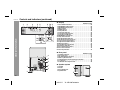
Controls and indicators (continued)
Display
1
2
3
4
5
6 78 9
11 12 13
General Information
10
18 19
14
17
16
15
20
21
Reference page
1. Disc Number Indicators . . . . . . . . . . . . . . . . . . . . . . . . . . . . 15
2. MP3/WMA Folder Indicator . . . . . . . . . . . . . . . . . . . . . . . . . 20
3. MP3/WMA Title Indicators . . . . . . . . . . . . . . . . . . . . . . . . . . 20
4. MP3 Indicator . . . . . . . . . . . . . . . . . . . . . . . . . . . . . . . . . . . . 15
5. WMA Indicator . . . . . . . . . . . . . . . . . . . . . . . . . . . . . . . . . . . 15
6. Sleep Indicator . . . . . . . . . . . . . . . . . . . . . . . . . . . . . . . . . . . 38
7. Timer Play Indicator . . . . . . . . . . . . . . . . . . . . . . . . . . . . . . . 36
8. Timer Recording Indicator . . . . . . . . . . . . . . . . . . . . . . . . . . 36
9. Tape Record Indicator . . . . . . . . . . . . . . . . . . . . . . . . . . . . . 28
10. MP3/WMA Total Indicator . . . . . . . . . . . . . . . . . . . . . . . . . . 21
11. Daily Timer Indicator . . . . . . . . . . . . . . . . . . . . . . . . . . . . . . 36
12. FM Stereo Mode Indicator . . . . . . . . . . . . . . . . . . . . . . . . . . 24
13. FM Stereo Receiving Indicator . . . . . . . . . . . . . . . . . . . . . . 24
14. Tape Forward Play Indicator . . . . . . . . . . . . . . . . . . . . . . . . 26
15. Tape Reverse Mode Indicator . . . . . . . . . . . . . . . . . . . . . . . 26
16. Memory Indicator . . . . . . . . . . . . . . . . . . . . . . . . . . . . . . . . . 19
17. Tape Reverse Play Indicator . . . . . . . . . . . . . . . . . . . . . . . . 26
18. Extra Bass Indicator . . . . . . . . . . . . . . . . . . . . . . . . . . . . . . . 12
19. Disc Repeat Play Indicator . . . . . . . . . . . . . . . . . . . . . . . . . 18
20. Disc Pause Indicator . . . . . . . . . . . . . . . . . . . . . . . . . . . . . . 16
21. Disc Play Indicator . . . . . . . . . . . . . . . . . . . . . . . . . . . . . . . . 15
Rear panel
3
ANTENNA
AM
LOOP
4
FM
75 OHMS
VIDEO/AUX
IN
RIGHT
LEFT
RATED SPEAKER IMPEDANCE:
6 OHMS MIN.
AC INPUT
RIGHT
2
6
SPEAKERS
1
LEFT
5
SUBWOOFER
PRE-OUT
7
Reference page
1. Speaker Terminals . . . . . . . . . . . . . . . . . . . . . . . . . . . . . . . . . 9
2. AC Power Lead . . . . . . . . . . . . . . . . . . . . . . . . . . . . . . . . . . . 10
3. FM 75 Ohm Aerial Terminal . . . . . . . . . . . . . . . . . . . . . . . . . 10
4. AM Loop Aerial Socket . . . . . . . . . . . . . . . . . . . . . . . . . . . . . 9
5. Video/Auxiliary (Audio Signal) Input Sockets . . . . . . . . . . 39
6. Cooling Fan . . . . . . . . . . . . . . . . . . . . . . . . . . . . . . . . . . . . . . 10
7. Subwoofer Pre-output Socket . . . . . . . . . . . . . . . . . . . . . . . 40
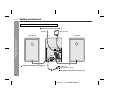
Speaker system
1. Tweeter
2. Woofer
3. Bass Reflex Duct
4. Speaker Wire
1
3
2
4
6
03/12/17
XL-MP150E 02-08.fm
XL-MP150E
1
2
7
8
9
13
18
CD
10
11
3
14
19
15
20
16
21
17
22
23
24 25
4
5
6
26 27 28 29
12
Reference page
1. Remote Control Transmitter . . . . . . . . . . . . . . . . . . . . . . . . 11
2. Disc Number Select Buttons . . . . . . . . . . . . . . . . . . . . . . . . 15
3. Cursor Buttons . . . . . . . . . . . . . . . . . . . . . . . . . . . . . . . . . . . 20
4. Character Input/Disc Direct Search Buttons . . . . . . . . 17, 22
5. Equaliser Mode Select Button . . . . . . . . . . . . . . . . . . . . . . 12
6. Extra Bass (Surround) Button . . . . . . . . . . . . . . . . . . . . . . 12
7. On/Stand-by Button . . . . . . . . . . . . . . . . . . . . . . . . . . . . . . . 12
8. CD Button . . . . . . . . . . . . . . . . . . . . . . . . . . . . . . . . . . . . . . . 15
9. Tuner (Band) Button . . . . . . . . . . . . . . . . . . . . . . . . . . . . . . 24
10. Tape Button . . . . . . . . . . . . . . . . . . . . . . . . . . . . . . . . . . . . . 26
11. Video/Auxiliary/USB Button . . . . . . . . . . . . . . . . . . . . . . . . 33
12. Volume Up and Down Buttons . . . . . . . . . . . . . . . . . . . . . . 12
13. Disc Clear/Dimmer Button . . . . . . . . . . . . . . . . . . . . . . 12, 19
14. Disc Random Button . . . . . . . . . . . . . . . . . . . . . . . . . . . . . . 18
15. Disc Stop Button . . . . . . . . . . . . . . . . . . . . . . . . . . . . . . . . . 16
16. Tape Reverse Play Button . . . . . . . . . . . . . . . . . . . . . . . . . . 26
17. Tape Stop Button . . . . . . . . . . . . . . . . . . . . . . . . . . . . . . . . . 26
18. Memory Button . . . . . . . . . . . . . . . . . . . . . . . . . . . . . 19, 25, 36
19. Disc Pause Button . . . . . . . . . . . . . . . . . . . . . . . . . . . . . . . . 16
20. Disc Play or Repeat Button . . . . . . . . . . . . . . . . . . . . . . 15, 18
21. Tape Forward Play Button . . . . . . . . . . . . . . . . . . . . . . . . . 26
22. Tape Record Pause Button . . . . . . . . . . . . . . . . . . . . . . 28, 29
23. MP3/WMA Navigation Mode Select Button . . . . . . . . . . . . 20
24. MP3/WMA Display Button . . . . . . . . . . . . . . . . . . . . . . . . . . 16
25. Enter Button . . . . . . . . . . . . . . . . . . . . . . . . . . . . . . . . . . . . . 20
26. Clock/Timer Button . . . . . . . . . . . . . . . . . . . . . . . . . 13, 35, 36
27. Character Button . . . . . . . . . . . . . . . . . . . . . . . . . . . . . . . . . 20
28. Disc Track Down or Fast Reverse, Tape Fast Wind,
Tuner Preset Down, Time Down Button . . . . . . 13, 16, 25, 27
29. Disc Track Up or Fast Forward, Tape Fast Wind,
Tuner Preset Up, Time Up Button . . . . . . . . . . . 13, 16, 25, 27
General Information
Remote control
7
03/12/17
XL-MP150E 02-08.fm
XL-MP150E
System connections
Make sure to unplug the AC power lead before any connections.
Aerial connection (see page 9)
AM loop aerial
FM aerial
Right speaker
Preparation for Use
Left speaker
ANTENNA
AM
LOOP
FM
75 OHMS
VIDEO/AUX
IN
RIGHT
LEFT
AC INPUT
SPEAKERS
RATED SPEAKER IMPEDANCE:
6 OHMS MIN.
RIGHT
Speaker connection (see page 9)
LEFT
SUBWOOFER
PRE-OUT
Wall socket
(AC 230 - 240 V, 50 Hz)
AC power connection (see page 10)
8
03/12/17
XL-MP150E 02-08.fm
XL-MP150E
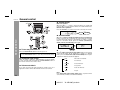
Speaker connection
Connect the black wire to the minus (-) terminal, and the red wire to
the plus (+) terminal.
Supplied AM loop aerial:
Connect the AM loop aerial to the AM LOOP socket. Position the AM
loop aerial for optimum reception. Place the AM loop aerial on a
shelf, etc., or attach it to a stand or a wall with screws (not supplied).
ANTENNA
VIDEO/AUX
IN
RIGHT
SPEAKERS
RIGHT
AM
LOOP
FM
75 OHMS
VIDEO/AUX
IN
RIGHT
FM
75 OHMS
LEFT
LEFT
SUBWOOFER
PRE-OUT
Do not mistake the right and the left channels. The right speaker is the one on the right
side when you face the unit.
SPEAKERS
RIGHT
LEFT
Red
Black
Caution:
Use speakers with an impedance of 6 ohms or more, as lower impedance speakers can damage the unit.
RATED SPEAKER IMPEDANCE:
6 OHMS MIN.
AC INPUT
LEFT
RATED SPEAKER IMPEDANCE:
6 OHMS MIN.
AC INPUT
ANTENNA
AM
LOOP
FM
75 OHMS
SUBWOOFER
PRE-OUT
Do not let the bare speaker wires touch
each other.
Note:
Placing the aerial on the unit or near the AC power lead may cause
noise pickup. Place the aerial away from the unit for better reception.
Installing the AM loop aerial:
< Assembling >
< Attaching to the wall >
Do not allow any objects to fall into or to be
placed in the bass reflex ducts.
Do not stand or sit on the speakers. You may
be injured.
Preparation for Use
Aerial connection
Supplied FM aerial:
Connect the FM aerial wire to the FM 75 OHMS terminal and position
the FM aerial wire in the direction where the strongest signal can be
received.
Incorrect
Speaker grilles are removable
Make sure nothing comes into contact
with the speaker diaphragm when you
remove the speaker grilles.
Wall
Screws (not supplied)
9
03/12/17
XL-MP150E_09-18.fm
XL-MP150E
System connections (continued)
AC power connection
Demonstration mode
After checking all the connections have been made correctly, plug
the AC power lead of this unit into the wall socket. If you plug in the
unit first, the unit will enter the demonstration mode.
ANTENNA
To cancel the demonstration mode:
When the unit is in the power stand-by
mode (demonstration mode), press the
X-BASS (SURROUND)/DEMO button.
The unit will enter the low power consumption mode.
AM
LOOP
FM
75 OHMS
VIDEO/AUX
IN
RIGHT
LEFT
X-BASS (SURROUND)
/DEMO
SPEAKERS
Preparation for Use
RATED SPEAKER IMPEDANCE:
6 OHMS MIN.
AC INPUT
The first time the unit is plugged in, the
unit will enter the demonstration mode.
You will see words scroll.
RIGHT
LEFT
SUBWOOFER
PRE-OUT
Wall socket
(AC 230 - 240 V, 50 Hz)
Notes:
The unit will start the tape initialisation when plugged in to the AC
socket. During this process, initialising sound will be heard and
the unit cannot be turned on. Wait until the process is finished.
Unplug the AC power lead from the wall socket if the unit will not
be in use for a prolonged period of time.
Cooling fan:
This main unit is built with a cooling fan at the rear of the unit for
improved cooling. Please do not cover the opening of the fan with
any obstacles, as this will block proper ventilation.
To return to the demonstration mode:
When the unit is in the power stand-by mode, press the X-BASS
(SURROUND)/DEMO button again.
Note:
When the power is on, the X-BASS (SURROUND)/DEMO button
can be used to select the extra bass mode.
External FM aerial
Use an external FM aerial if you require better reception.
Consult your dealer.
ANTENNA
FM
75 OHMS
AM
LOOP
External FM aerial
VIDEO/AUX
IN
RIGHT
LEFT
SPEAKERS
RATED SPEAKER IMPEDANCE:
6 OHMS MIN.
AC INPUT
RIGHT
LEFT
SUBWOOFER
PRE-OUT
10
03/12/17
XL-MP150E_09-18.fm
Remote control
Battery installation
Use 2 "AA" size batteries (UM/SUM-3, R6, HP-7 or similar).
Batteries are not included.
1
2
3
Open the battery cover.
Insert the batteries according to the direction indicated in
the battery compartment (back of the battery cover).
When inserting or removing the batteries, push them towards the
battery terminals.
Close the cover.
XL-MP150E
Notes concerning use:
Replace the batteries if the operating distance is reduced or if the
operation becomes erratic.
Periodically clean the transmitter on the remote control and the
sensor on the unit with a soft cloth.
Exposing the sensor on the unit to strong light may interfere with
operation. Change the lighting or the direction of the unit if this
occurs.
Keep the remote control away from moisture, heat, shock, and vibrations.
The remote control can be used within the range shown below:
Press the ON/STAND-BY button. Does the power turn on? Now, you
can enjoy music.
Precautions for battery use:
Replace all old batteries with new ones at the same time.
Do not mix old and new batteries.
Remove the batteries if the unit will not be used for long periods
of time. This will prevent potential damage due to battery leakage.
/
Caution:
Do not use rechargeable batteries (nickel-cadmium battery, etc.).
Installing the batteries incorrectly may cause the unit to malfunction.
Preparation for Use
Test of the remote control
Check the remote control after checking all the connections (see
pages 8 - 10).
Point the remote control directly at the remote sensor on the unit.
USB
Battery removal:
Open the battery cover and pull up the battery to take out.
11
03/12/17
XL-MP150E_09-18.fm
XL-MP150E
General control
Volume control
/
/
Main unit operation:
When the VOL + / - control is turned clockwise, the volume will
increase. When it is turned anti-clockwise, the volume will decrease.
Remote control operation:
Press the VOLUME (+ or -) button to increase or decrease the volume.
0 ..... 30 MAXIMUM
Basic Operation
Surround mode
When the X-BASS (SURROUND)/DEMO [X-BASS (SURROUND)]
button is pressed, the unit will enter the surround mode and adjust
low bass and high frequency automatically according to volume
input. To cancel this mode, press the X-BASS (SURROUND)/
DEMO [X-BASS (SURROUND)] button again.
To turn the power on
Press the ON/STAND-BY button to turn the power on.
After use:
Press the ON/STAND-BY button to enter the power stand-by mode.
Equaliser
When the EQUALIZER (EQUALIZER MODE) button is pressed, the
current mode setting will be displayed. To change to a different
mode, press the EQUALIZER (EQUALIZER MODE) button repeatedly until the desired sound mode appears.
Illumination light control
When the power is turned on, light illuminates around the display.
To turn on/off the light, hold down the CLEAR/DIMMER button on
the remote control for 2 seconds or more.
Volume auto fade-in
If you turn off and on the main unit with the volume set to 27 or
higher, the volume starts at 16 and fades in to the last set level.
12
FLAT
The sound is not modified.
ROCK
For rock music.
CLASSIC
For classical music.
POPS
For pop music.
VOCAL
Vocals are enhanced.
JAZZ
For jazz.
Note:
If the EQUALIZER (EQUALIZER MODE) button is pressed in the
surround mode, it will be cancelled automatically.
03/12/17
XL-MP150E_09-18.fm
Setting the clock
XL-MP150E
5
/
Press the
or
button once to advance the time by
1 hour. Hold it down to advance continuously.
6
In this example, the clock is set for the 24-hour (0:00) display.
4
Press the ON/STAND-BY button to turn the power on.
Press the CLOCK/TIMER button.
Within 10 seconds, press the
or
button to select "CLOCK", and press the MEMORY/SET (MEMORY)
button.
Press the
or
button to select 24-hour or 12hour display and then press the MEMORY/SET (MEMORY)
button.
"0:00"
"AM 12:00"
"AM 0:00"
The 24-hour display will appear.
(0:00 - 23:59)
The 12-hour display will appear.
(AM 12:00 - PM 11:59)
The 12-hour display will appear.
(AM 0:00 - PM 11:59)
Press the
or
button to adjust the minutes and
then press the MEMORY/SET (MEMORY) button.
Press the
or
button once to advance the time by
1 minute. Hold it down to change the time in 5-minute intervals.
To confirm the time display:
[When the unit is in the stand-by mode]
Press the CLOCK/TIMER button.
The time display will appear for about 10 seconds.
[When the power is on]
Press the CLOCK/TIMER button.
Within 10 seconds, press the
or
button to display the
time.
The time display will appear for about 10 seconds.
Note:
The "CLOCK" will appear or time will flash to confirm the time display when the AC power supply is restored after a power failure or
unplugging the unit. If incorrect, readjust the clock as follows.
To readjust the clock:
Perform "Setting the clock" from step 1. If the "CLOCK" does not
appear in step 3, step 4 (for selecting the 24-hour or 12-hour display) will be skipped.
To change the 24-hour or 12-hour display:
1 Clear all the programmed contents. [Refer to "Clearing all the
memory (reset)" on page 42 for details.]
2 Perform "Setting the clock" from step 1.
Note:
The clock can also be set with the remote control.
03/12/17
XL-MP150E_09-18.fm
Basic Operation
/
1
2
3
Press the
or
button to adjust the hour and
then press the MEMORY/SET (MEMORY) button.
13
XL-MP150E
Listening to a CD or MP3/WMA disc
CD or MP3/WMA disc Playback
This system can play back a standard CD, CD-R/RW in the CD format
and CD-R/RW with MP3 or WMA files, but cannot record on them.
Some audio CD-R and CD-RW discs may not be playable due to the
state of the disc or the device that was used for recording.
/
MP3:
MP3 is a form of compression. It is an acronym which stands
for MPEG Audio Layer 3.
MP3 is a type of audio code which is processed by significant
compression from the original audio source with very little loss
in sound quality.
This system supports MPEG 1 Layer 3, MPEG 2 Layer 3, and
VBR files.
During VBR file playback, time counter in the display may differ
from its actual playback time.
/
USB
WMA:
WMA files are Advanced System Format files that include audio
files which are compressed with Windows Media Audio codec.
WMA is developed by Microsoft as an audio format file for Windows Media Player.
"MP3" or "WMA" indicator will light up after the unit reads information on an MP3 or WMA disc.
Auto power on function:
When you press any of the following buttons, the unit turns on.
CD button (main unit and remote control): The unit turns on and
the "CD" function is activated.
CD / button on the remote control: The unit turns on and CD
playback starts (regardless of the last function).
/ button on the main unit: The unit turns on and playback of
the last function starts (CD, TAPE, TUNER, USB/VIDEO/AUX).
Auto power off function:
In the stop mode of CD, MP3 or WMA operation, the main unit enters
the stand-by mode after 15 minutes of inactivity.
14
03/12/17
XL-MP150E_09-18.fm
XL-MP150E
Press the ON/STAND-BY button to turn the power on.
4
Place the disc on the disc tray 1, label side up.
Be sure to place 8 cm (3") disc in the middle of the disc trays.
Press the CD button.
Press the
1 button and within 5 seconds, press the
OPEN/CLOSE button to open the disc tray 1.
12 cm (5")
8 cm (3")
Playback will begin from track 1 on DISC 1. After that disc finishes playing, the next disc will automatically play.
After the last track on the fifth disc is played, the unit will stop
automatically.
When there is no disc in one of the disc trays (1 - 5), the empty
tray will be skipped to the next tray with a disc.
To exchange other discs whilst playing a disc:
Press one of the 1 - 5 buttons for the stopped disc and within 5
seconds, press the OPEN/CLOSE button and exchange discs.
To remove the discs:
In the stop mode, press the 1 - 5 button and within 5 seconds,
press the OPEN/CLOSE button.
5
Press the
OPEN/CLOSE button to close the disc tray 1.
MP3 indicator
WMA indicator
[CD]
[MP3/WMA]
Total number of
Total playing
tracks on the disc time of the disc
Total number Total number
of folders
of files
Due to the structure of the disc information, it takes longer to
read an MP3/WMA disc than a normal CD (approximately 20
to 90 seconds).
6
You can place discs on the trays 2 - 5 by following steps
3 - 5.
7
Press the
/
Caution:
Do not place two discs in one disc tray.
Do not play discs of special shapes (heart, octagon, etc). It may
cause malfunctions.
Do not push the disc tray whilst it is moving.
If the power fails whilst the tray is open, wait until the power is restored.
If the disc tray is stopped with force, "ER-CD20" will appear on the
display for 3 seconds and the unit will not function. If this occurs,
press the ON/STAND-BY button to enter the power stand-by
mode and then turn the power on again.
If TV or radio interference occurs during CD operation, move the
unit away from the TV or radio.
If a disc is damaged, dirty, or loaded upside down, the disc will
skip or not play.
CD or MP3/WMA disc Playback
1
2
3
button to start playback.
Disc play indicator
15
03/12/17
XL-MP150E_09-18.fm
XL-MP150E
Listening to a CD or MP3/WMA disc (continued)
Various disc functions
CD or MP3/WMA disc Playback
Function
Main unit
Remote
control
Operation
Play
Press in the stop
mode.
Stop
Press in the playback
mode.
Pause
Press in the playback
mode. Press the /
button to resume playback from the paused
point.
Press in the playback
or stop mode.
If you press the button
in the stop mode,
press the / button
to start the desired
track.
Press and hold down
in the playback mode.
Release the button to
resume playback.
Track up/
Track down
Fast forward/Fast
reverse
Notes for CD:
Track up/track down is possible only within individual discs.
Fast forward/fast reverse is possible only within individual discs.
When the end of the last track is reached during fast forward,
"END" will appear on the display and CD operation will be paused.
When the beginning of the first track is reached during fast
reverse, the unit will enter the playback mode.
Notes for MP3/WMA discs:
Track up/track down is possible only within individual discs.
The sound is heard during fast forward/fast reverse with a CD, but
not with an MP3/WMA disc. For fast forward or fast reverse of an
MP3/WMA disc, refer to playback time on the display.
Fast forward/fast reverse is possible only within individual tracks.
When the end of the track is reached during fast forward, the next
track will be played. Playback of the track will begin when its beginning is reached during fast reverse.
To change the display (MP3/WMA discs only)
Whilst a disc is playing, press the DISPLAY
button.
Each time the button is pressed, the display
will change as follows.
Track number Elapsed
playback time
Folder name
File name
16
03/12/17
XL-MP150E_09-18.fm
Advanced CD or MP3/WMA disc playback
To specify a disc to play
You can play a disc by specifying the disc number.
Press one of the
1-
5 buttons to select the desired disc.
Direct track search
By using the direct search buttons, the desired tracks on the current
disc can be played.
Use the direct search buttons on
the remote control to select the desired track whilst playing the selected disc.
Selected track number
Selected disc number
2
Within 5 seconds, press the CD DIRECT PLAY button on
the main unit.
The direct search buttons allow you to select up to number 9.
When selecting number 10 or higher, use the "+10" button.
A. For example, to choose 13
1 Press the "+10" button once.
2 Press the "3" button.
/
Playback will begin from track 1 on the chosen disc.
After the last track on the chosen disc is played, the unit stops
automatically.
Note:
If a disc tray with no disc is selected, playback will not start and the
disc indicator will go out.
B. For example, to choose 30
1 Press the "+10" button three times.
2 Press the "0" button.
If the direct search buttons are pressed whilst the disc is stopped,
press the / button to start the desired track on the current disc.
CD or MP3/WMA disc Playback
1
XL-MP150E
Notes:
A track number higher than the number of tracks on the disc cannot be selected.
During random play, direct search is not possible.
To stop playback:
Press the (CD ) button.
17
03/12/17
XL-MP150E_09-18.fm
XL-MP150E
Advanced CD or MP3/WMA disc playback (continued)
Repeat play
Repeat play can play all 5 discs, all tracks on a chosen disc, or a
programmed sequence continuously.
CD or MP3/WMA disc Playback
To repeat all tracks on up to 5 discs:
Press the / button twice.
Random play
The tracks on the disc(s) can be played in random order automatically.
To random play all tracks on up to 5 discs:
Press the RANDOM button on the remote control.
To repeat desired tracks:
Perform steps 1 - 6 in "Programmed play" section on page 19 and
then press the / button twice.
To cancel random play:
Press the / button.
"R" will go out.
To cancel repeat play:
Press the / button again.
" " will go out.
To repeat all tracks on the chosen disc:
1 Press one of the 1 - 5 buttons.
2 Within 5 seconds, press the CD DIRECT
PLAY button twice.
To cancel repeat play:
Press the CD DIRECT PLAY button again.
" " will go out.
To random play all tracks on the chosen disc:
1 Press one of the 1 - 5 buttons.
2 Within 5 seconds, press the CD DIRECT PLAY button.
3 Press the RANDOM button on the remote control.
To cancel random play:
Press the CD DIRECT PLAY button.
"R" will go out.
Notes:
If you press the
button during random play, you can move to
the track selected next by the random operation. On the other
hand, the
button does not allow you to move to the previous
track. The beginning of the track being played will be located.
In random play, the unit will select and play tracks automatically.
(You cannot select the order of the tracks.)
Caution:
After performing repeat or random play, be sure to press the
) button. Otherwise, the disc(s) will play continuously.
18
03/12/17
XL-MP150E_09-18.fm
(CD
Programmed play
Whilst in the stop mode, press
the MEMORY/SET (MEMORY) button to enter the programming
save mode.
To clear the programmed selections:
Press the CLEAR/DIMMER button on the remote control whilst the "MEMORY" indicator
is flashing.
Each time the button is pressed, one track will
be cleared, beginning with the last track programmed.
Press one of the 1 - 5 buttons
to select the desired disc.
To cancel the programmed play mode:
Whilst in the stop mode and the "MEMORY" indicator is lit, press the
CLEAR/DIMMER button on the remote control. The "MEMORY" indicator will disappear and all the programmed contents will be
cleared.
You can choose up to 32 selections for playback in the order you like.
1
2
Selected disc number
3
Press the direct search buttons
on the remote control to select
the desired track.
Selected track number
You can also select a track by pressing the
or
button.
4
Press the MEMORY/SET
(MEMORY) button to save the
track number.
5
Repeat steps 2 - 4 for other tracks. Up to 32 tracks can be
programmed.
If you make a mistake, the programmed tracks can be cleared
by pressing the CLEAR/DIMMER button.
6
Press the (CD ) button.
The total number in memory will
appear.
7
Press the
/
Adding tracks to the programme:
If a programme has been previously stored, the "MEMORY" indicator
will be displayed. Then follow steps 1 - 6 to add tracks. The new
tracks will be stored after the last track of the original programme.
To check which tracks are programmed:
Whilst the unit is stopped in the programmed play mode, press the
or
button.
Notes:
When a disc with programmed tracks is ejected, the programme
is automatically cancelled.
Even if you press the ON/STAND-BY button to enter the stand-by
mode or change the function from CD to another, the programmed
selections will not be cleared.
During the programme operation, random play is not possible.
During programmed play, the CD DIRECT PLAY button will not
work.
CD or MP3/WMA disc Playback
XL-MP150E
button to start playback.
19
03/12/17
XL-MP150E 19-28.fm
CD or MP3/WMA disc Playback
XL-MP150E
MP3/WMA navigation (only for MP3/WMA files)
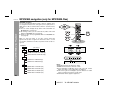
MP3/WMA navigation:
You can search and play files by folder or title. For example, when
you assign three titles to a file, enter genre (such as jazz) as title 1,
album name as title 2, and music title as title 3 to search the file by
any title.
You can search and play files by folder or title 1/2/3 within one
MP3/WMA disc (see page 21).
By entering a name, you can search files by folder or title 1/2/3
within one MP3/WMA disc (see page 22).
Folders or titles can be programmed within one MP3/WMA disc
(see page 23).
When you enter file names on your PC, connect words with
hyphens. This product recognizes the first word as title 1, second
one as title 2, and third one as title 3. Up to three words can be recognised.
Example:
(File name)
Folder
Title 1
Title 2
Title 3
AAA
(POPULAR-HITS 1-A MUSIC.mp3)
(POPULAR-HITS 2-B MUSIC.mp3)
BBB
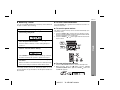
(JAZZ-HITS 1-A MUSIC.mp3)
(JAZZ-HITS 2-B MUSIC.mp3)
CCC
(ROCK-HITS 1-A MUSIC.mp3)
(ROCK-HITS 2-B MUSIC.mp3)
(ROCK-HITS 3-C MUSIC.mp3)
(ROCK-HITS 4-D MUSIC.mp3)
Notes:
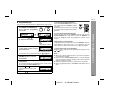
MP3 files must have the extension ".mp3".
WMA files must have the extension ".wma".
Up to 100 folders or 300 files can be read on the unit. If either
limit is exceeded, no more folders/files are displayed.
This unit recognises and displays up to 48 characters for folder
names, and up to 32 characters for title 1/2/3.
All file/folder names appear in uppercase.
20
03/12/17
XL-MP150E 19-28.fm
XL-MP150E
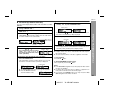
File search (by folder or title 1/2/3)
You can search and play files by folder or title 1/2/3 within one MP3/
WMA disc.
1
Press one of the 1 - 5 buttons to select a disc tray containing an MP3/WMA disc.
2
Press the /
WMA disc.
3
Press the CD button to stop playback.
"NAVI READ" appears and the display shows the total number
of folders and files on the selected disc.
7
Use the
or
cursor button to scroll and select a folder
(or title), and then press the ENTER button.
Folder name
If you press the / button instead of the ENTER button, all
files in the selected folder (or title) are played.
8
Use the
or
MP3 indicator
WMA indicator
Total number Total number
of folders
of files
4
5
Press the , ,
or
cursor button on the remote control to select
"FOL", "T-1", "T-2" or "T-3". To
search files by folder name, select
"FOL" (will flash).
Folder
Title 1
Title 2
Title 3
The following steps describe file search by folder:
6
File name
9
Press the NAVIGATION button.
Press the ENTER button.
The total number of folders (or titles) appears for 2 seconds,
and names of the first 2 folders (or titles) are displayed.
cursor button to scroll and select a file.
Press the / button to start playback.
The unit plays from the selected file to the last file in the selected folder (or title), and the previous display returns.
File search by title 1/2/3:
In step 5, select "T-1", "T-2" or "T-3" and follow the same steps as
file search by folder.
The unit searches all files on the disc, regardless of the folder.
To stop playback:
Press the CD button.
To exit the MP3/WMA navigation mode:
In the stop mode, press the CD button.
CD or MP3/WMA disc Playback
button, and the unit starts to read the MP3/
Folder name
The NAVIGATION button allows you to go one step back.
Press the DISPLAY button to
check the number of files.
Notes:
In the MP3/WMA navigation mode, direct play and direct search
functions are disabled.
If a folder, title or file name does not appear, or appears incorrectly, remove and reinsert the disc and try again.
If you press the RANDOM button in the stop mode, the MP3/
WMA navigation mode will be cancelled.
21
03/12/17
XL-MP150E 19-28.fm
XL-MP150E
MP3/WMA navigation (only for MP3/WMA files) (continued)
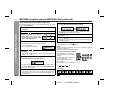
Character search (for folder or title 1/2/3)
By entering a name, you can search files by folder or title 1/2/3
within one MP3/WMA disc.
CD or MP3/WMA disc Playback
1
2
3
4
5
6
8
When finished, press the ENTER button. The unit searches
for the same name within folders (or titles).
Perform steps 1 - 3 in "File search (by folder or title 1/2/3)"
on page 21.
Press the NAVIGATION button.
Press the , ,
or
cursor
button on the remote control to
select "FOL", "T-1", "T-2" or "T-3".
To search files by folder name,
select "FOL" (will flash).
If the search word is not in the folder (or title) name, "NOT
FOUND" appears and the menu returns.
Folder
Title 1
Title 2
Title 3
or
or
Use the
(or title).
or
cursor button to scroll and select a folder
10 Press the
Press the CHARACTER button for 2 seconds.
The display will be ready for editing characters.
1st row: String table
2nd row: Input editor (8 digits)
Press the
alphabet.
Press the
display.
9
cursor button to select the desired
button to go to the next page of character
Press the CHARACTER button and the active character will
be entered in the 2nd row of the display.
/ button to start playback.
All files in the selected folder (or title) are played, and the previous display returns.
To exit the MP3/WMA navigation mode:
In the stop mode, press the CD button.
Notes:
The unit searches regardless of the case, and names found will
appear in uppercase.
Some symbols do not appear properly.
Character entry with direct buttons:
The direct buttons on the remote
control can also be used for character entry.
In step 5 on the left, use buttons 0 9 to enter alphabets.
Alphabet types change as you
press a button.
For example, press "2" four times to enter "C".
To delete an entered character, move the cursor to the character with the or button and press the CLEAR/DIMMER button on the remote control.
7
Repeat steps 5 and 6 to enter characters.
In the folder (or title) name search, you do not have to enter the
full name. The unit searches for names beginning with the entered characters.
2
A
B
C
Characters:
1
2 ABC
3 DEF
4 GHI
5 JKL
6 MNO 7 PQRS 8 TUV 9 WXYZ
: indicates a space.
22
03/12/17
XL-MP150E 19-28.fm
0
XL-MP150E
1
Perform steps 1 - 3 in "File search (by folder or title 1/2/3)"
on page 21.
2
3
Press the NAVIGATION button.
4
Press the , , or cursor button on the remote control
to select "FOL", "T-1", "T-2" or "T-3" and then press the
ENTER button.
The total number of folders (or titles) appears for 2 seconds,
and names of the first 2 folders (or titles) are displayed.
Press the or cursor button to select the desired folder
(or title) and then press the MEMORY/SET(MEMORY) button.
To check, add or delete programmed contents:
In the stop mode, select a folder (or title) with the or cursor button. If the folder (or title) is programmed, "MEMORY" indicator
flashes.
When you press the MEMORY/SET (MEMORY) button with
"MEMORY" flashing, the folder (or title) is removed from the programme.
If you press the MEMORY/SET (MEMORY) button with "MEMORY" off, the folder (or title) is added to the programme.
To clear all programmes, press the CLEAR/DIMMER button in
the stop mode.
To exit the MP3/WMA navigation mode:
In the stop mode, press the CD button.
The programmed contents are cleared.
The folder (or title) is memorised with all the files.
5
Repeat step 4 for other folders (or titles).
Up to 10 folders (or 10 titles) can be programmed.
6
Press the
/
button to start playback.
Programmed play will always start from the smallest folder (or
title) number.
To stop playback:
Press the CD button.
The programmed contents are not cleared.
Notes:
The programmed contents are cleared when you eject a disc,
play another disc, switch the function, or enter the stand-by mode
with the ON/STAND-BY button.
During programmed play, the CD DIRECT PLAY button on the
main unit will not work.
If you press the RANDOM button in the stop mode, the MP3/
WMA navigation mode will be cancelled.
CD or MP3/WMA disc Playback
Programmed play (for folder, title 1/2/3)
Folders or titles can be programmed within one MP3/WMA disc.
Folder, title 1, title 2 and title 3 cannot be programmed together
simultaneously.
If tracks are programmed using track numbers (see "Programmed play" on page 19):
In the MP3/WMA navigation mode, only programmes by folder (or
title) name are played. When you exit the mode, the programmes by
folder (or title) name are cleared.
When you exit the MP3/WMA navigation mode, programmes by
track number are cancelled.
(Programmes by track number are cleared when you remove the
disc.)
23
03/12/17
XL-MP150E 19-28.fm
XL-MP150E
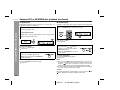
Listening to the radio
Tuning
/
1
2
Press the ON/STAND-BY button to turn the power on.
3
Press the TUNING (
station.
Press the TUNER (BAND) button repeatedly to select the
desired frequency band (FM or AM).
or
) button to tune in to the desired
Radio
Manual tuning:
Press the TUNING button as many times as required to tune in
to the desired station.
Auto tuning:
When the TUNING button is pressed for more than 0.5 seconds, scanning will start automatically and the tuner will stop at
the first receivable broadcast station.
Notes:
When radio interference occurs, auto scan tuning may stop automatically at that point.
Auto scan tuning will skip weak signal stations.
To stop the auto tuning, press the TUNING button again.
Auto power on function:
When you press any of the following buttons, the unit turns on.
TUNER (BAND) button (main unit and remote control): The unit
turns on and the "TUNER" function is activated.
/ button on the main unit: The unit turns on and playback of
the last function starts (CD, TAPE, TUNER, USB/VIDEO/AUX).
To receive an FM stereo transmission:
Press the TUNER (BAND) button to display the "ST" indicator.
" " will appear when an FM broadcast is in stereo.
If the FM reception is weak, press the TUNER (BAND) button to
extinguish the "ST" indicator. The reception changes to monaural,
and the sound becomes clearer.
FM stereo mode indicator
Note:
This product can receive FM stereo/FM monaural and AM monaural
broadcasts. AM stereo broadcasts will not be played in stereo.
FM stereo receiving indicator
24
03/12/17
XL-MP150E 19-28.fm
XL-MP150E
Memorising a station
1
2
Perform steps 1 - 3 in "Tuning" on page 24.
3
Within 30 seconds, press the PRESET ( or ) button to
select the preset channel number.
Store the stations in memory, in order, starting with preset
channel 1.
4
Within 30 seconds, press the MEMORY/SET (MEMORY)
button to store that station in memory.
Press the MEMORY/SET (MEMORY) button to enter the
preset tuning saving mode.
To recall a memorised station
Press the PRESET ( or
lect the desired station.
) button for less than 0.5 seconds to se-
To scan the preset stations
The stations saved in memory can be scanned automatically. (Preset memory scan)
1 Press the PRESET ( or ) button for more than 0.5 seconds.
The preset number will flash and the programmed stations will be
tuned in sequentially, for 5 seconds each.
2 Press the PRESET ( or ) button again when the desired station is located.
Radio
You can store 40 AM and FM stations in memory and recall them at
the push of a button. (Preset tuning)
If the "MEMORY" and preset number indicators go out before
the station is memorised, repeat the operation from step 2.
5
Repeat steps 1 - 4 to set other stations, or to change a preset station.
When a new station is stored in memory, the station previously
memorised for that preset channel number will be erased.
Note:
The backup function protects the memorised stations for a few
hours should there be a power failure or the AC power lead become
disconnected.
PRESET
To erase entire preset memory
1
2
Press the ON/STAND-BY button to enter the stand-by mode.
Whilst pressing down the
button and the X-BASS
(SURROUND)/DEMO button, press the TUNING
button until
"TUNER CL" appears.
25
03/12/17
XL-MP150E 19-28.fm
XL-MP150E
Listening to a cassette tape
Before playback:
For playback, use normal or low-noise tapes for
the best sound. (Metal or CrO tapes are not recommended.)
Do not use C-120 tapes or poor-quality tapes, as
they may cause malfunctions.
Before loading a tape into the cassette compartment,
tighten the slack with a pen or a pencil.
Tape playback
1
2
3
Press the ON/STAND-BY button to turn the power on.
4
Load a cassette into the cassette compartment with side A
facing you.
5
Press the
button to choose
one side or both sides.
Press the TAPE button.
Open the cassette door by pushing the area marked " PUSH
EJECT".
Tape Playback
/
6
... To listen to both sides.
To play both sides ( ), start from side A. When playback starts from side B, side A will not be played.
... For endless repeat play of both sides.
... To listen to one side.
Press the / (TAPE ) button to listen to side A, or the
(TAPE ) button for side B.
Forward play
Reverse play
Auto power on function:
When you press any of the following buttons, the unit turns on.
TAPE button (main unit and remote control): The unit turns on and
the "TAPE" function is activated.
TAPE button on the remote control: The unit turns on and side
A playback starts (regardless of the last function).
/ button on the main unit: The unit turns on and playback of
the last function starts (CD,TAPE,TUNER,USB/VIDEO/AUX).
26
Auto power off function:
In the stop mode of tape operation, the main unit enters the stand-by
mode after 15 minutes of inactivity.
03/12/17
XL-MP150E 19-28.fm
Recording on a cassette tape
Function
Main unit
Remote
control
Operation
Side A playback
Press in the stop
mode.
Side B playback
Press in the stop
mode.
Stop
Press in the playback,
fast forward or fast rewind mode.
Fast forward/Fast
rewind
Press in the playback
or stop mode.
Before recording:
When recording important selections, make a preliminary test to
ensure that the desired material is properly recorded.
SHARP is not liable for damage or loss of your recording arising
from malfunction of this unit.
The volume and sound controls can be adjusted with no effect
on the recorded signal (Variable Sound Monitor).
For recording, use only normal tapes. Do not use metal or
CrO tapes.
Erase-prevention tab of cassette tapes:
When recording on a cassette tape, make sure that the eraseprevention tabs are not removed. Cassettes have removable
tabs that prevent accidental recording or erasing.
To protect the recorded sound, remove the tab after recording.
Cover the tab hole with adhesive tape to record on the tape without the tab.
Side A
Tab for side B
Tape Recording
Various tape functions
XL-MP150E
Tab for side A
Caution:
To remove the cassette, press the (TAPE ) button, and then
open the compartment.
If a power failure occurs during tape operation, the tape head will
remain engaged with the tape and the cassette door will not open.
In this case, wait until the power is restored.
27
03/12/17
XL-MP150E 19-28.fm
XL-MP150E
Recording on a cassette tape (continued)
Recording from a CD or MP3/WMA disc
You can record the desired disc using the CD DIRECT PLAY button.
1
2
3
Tape Recording
4
Press the ON/STAND-BY button to turn the power on.
Press the CD button.
Load a cassette into the cassette compartment with side A
facing you.
Wind past the leader of the tape, on which recording cannot be
performed.
Press the
button to choose one side or both sides.
... To record on both sides.
... To record on only one
side.
5
Press the
button.
Recording will be paused.
6
7
Press one of the
1-
5 buttons to select the desired disc.
Within 5 seconds, press the CD DIRECT PLAY button to
start recording.
Recording starts from side A.
Recording is started from the selected disc. When the playback of the last track is finished or the end of the tape is
reached, the disc and the cassette will stop automatically.
Playback of the disc will start approximately 7 seconds after
the tape starts.
To stop recording:
Press the (TAPE ) button.
The disc and tape will stop.
28
03/12/17
XL-MP150E 19-28.fm
XL-MP150E
To perform programmed recording:
1 Programme discs and tracks (see pages 19).
2 Press the
button.
3 Press the / (TAPE ) button to record on side A, or the
(TAPE ) button for side B.
To stop recording:
Press the (TAPE ) button.
The disc and tape will stop.
Note:
To record on both sides, begin with side A. (If recording is started
from side B, the tape will not switch over to side A.)
Auto restart function:
If the recording side is switched from side A to B during recording,
the system will record the interrupted track on side B from its beginning. The recording will be made without cutting the beginning of the
track on side B.
Recording from the radio
1
2
Tune in to the desired station (see page 24 ).
Load a cassette into the cassette compartment with side A
facing you.
Wind past the leader of the tape, on which recording cannot be
performed.
3
Press the
button to choose one side or both sides.
... To record on both sides.
... To record on only one
side.
4
Press the
button.
Recording will be paused.
5
Press the / (TAPE ) button to record on side A, or the
(TAPE ) button for side B.
To record on both sides, begin with side A. (If recording is started from side B, the tape will not switch over to side A.)
To interrupt recording:
Press the
button.
To resume recording, press the same recording button you pressed
in step 5. Other buttons do not allow resuming.
Tape Recording
Sequential recording from several discs:
1 Perform steps 1 - 6 in "Recording from a CD or MP3/WMA disc"
on page 28.
2 Within 5 seconds, press the / (TAPE ) button to record on
side A, or the (TAPE ) button for side B.
To stop recording:
Press the (TAPE ) button.
Note:
If you hear a whistling noise whilst recording an AM station, move the
AM loop aerial.
Erasing recorded tapes
1
2
Press the TAPE button.
Follow steps 2 - 5 in "Recording from the radio".
29
03/12/17
XL-MP150E 29-44.fm
XL-MP150E
Listening to sound from a USB-connected PC
System requirements
Advanced Features
Connect a PC to the USB port. You can play audio data stored on
the PC through the supplied speakers.
The following hardware are required for USB connection:
PC IBM PC/AT compatible
Apple Macintosh computer
OS Windows 98 Second Edition Mac OS X
Windows 2000 Professional
Windows Millennium Edition
Windows XP Home Edition
Windows XP Professional
USB Available USB port (USB 1.1)
CPU MMX Pentium processor (266 MHz or higher) or equivalent
Installing a driver
If this is your first time connecting to a PC, follow the on-screen
instructions to install a driver (included with the OS). Once installed,
you do not need to repeat the procedure.
For installation, refer to the operation manual for the PC.
1
2
Turn on a PC to boot the OS.
3
Press the VIDEO/AUX/USB button repeatedly to select
“USB”.
4
Connect the unit to the PC with a USB cable.
Press the ON/STAND-BY button on the main unit to turn
the power on.
PC
Notes:
Sharp does not guarantee proper operation on all computers.
You cannot operate the unit on a PC, and vice versa.
IBM and PC/AT are registered trademarks of international
Business Machines Corporation in the United States.
Macintosh is a registered trademark of Apple Computer, Inc. in
the United States and/or other countries.
MMX and Pentium are trademarks or registered trademarks of
Intel Corporation.
Microsoft and Windows are registered trademarks of Microsoft
Corporation in the United States and/or other countries.
The names of other systems and products in this manual are
trademarks or registered trademarks of the corresponding companies. Symbols TM and ® are omitted.
PC Equaliser and volume must be set to suitable level otherwise
may cause distortion sound.
To the USB socket
USB connection cable
(Supplied)
30
03/12/17
XL-MP150E 29-44.fm
To the USB port
XL-MP150E
(Screen shorts vary depending on the OS. The screen shots below
are from Windows 98 Second Edition.)
Notes:
If installation does not start automatically, follow the online
instructions.
Prepare the OS CD-ROM before installation (may be required
depending on the PC).
Do not disconnect the USB cable until the unit is detected.
For a Macintosh computer with a USB port, a driver is already
installed (you do not need to install it).
Sharp does not guarantee proper operation when you connect a
PC using a USB hub or USB extension cable.
When multiple USB ports are available, use a root hub port (for
details, refer to the operation manual for PC).
Advanced Features
The unit is detected and a driver (included with the OS) is installed.
Follow the on-screen instructions.
31
03/12/17
XL-MP150E 29-44.fm
XL-MP150E
Listening to sound from a USB-connected PC (continued)
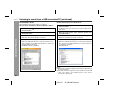
Checking a driver
Windows 2000 Professional or Windows XP:
After installation, make sure the driver is recognised.
Windows 98 Second Edition or Windows Millennium Edition:
1
Select “Setting”
“Control Panel” from the “Start”
menu and click it.
For Windows XP, select “Control Panel” from the “Start” menu
and click it.
When the “Control Panel” opens, select the “System” icon
and double click it.
1
Select “Setting”
menu and click it.
2
When the “Control Panel” opens, select the “System” icon
and double click it.
2
3
Click the “Device Manager” tab.
3
“Control Panel” from the “Start”
Advanced Features
Make sure “View devices by type” is selected.
4
Check that the unit is recognised.
Make sure “USB Audio Device” is under “Sound, video and
game controllers” and “USB Composite Device” is under “Universal Serial Bus controllers”.
OS: Windows 98 Second Edition.
Select the “Hardware” tab and click “Device Manager”.
Make sure “View devices by type” is selected.
4
Check that the unit is recognised.
Make sure “USB Composite Device” is under “Universal Serial
Bus controllers” and “USB Audio Device” is under “Sound, video and game controllers”.
OS: Windows XP.
Notes:
Other items in the Device Manager may be different depending on
the PC environment.
If the unit cannot be recognised, connect and disconnect the USB
cable. If the driver is not installed and the unit is still not
recognised, restart the PC.
32
03/12/17
XL-MP150E 29-44.fm
XL-MP150E
Listening to audio data playing on a PC
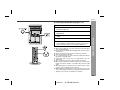
1
2
Connect the unit to the PC with a USB cable (see page 30).
Turn on a PC to boot the OS.
3
Press the ON/STAND-BY button on the main unit to turn
the power on.
4
Press the VIDEO/AUX/USB button repeatedly to select
“USB”.
5
6
Play back on the PC.
Adjust the volume on the unit.
You can adjust the volume with music software. This is not possible from “Audio Properties” in the task tray (Windows).
Notes:
When using a USB port, do not turn off the unit or switch the input
selector during playback.
Do not disconnect a USB cable during playback. Close the music
software first.
Before you turn off the unit or PC, close the music software.
Turn off the unit before the PC.
It is recommended to turn off the unit before putting the PC into
hibernation or standby mode.
Sound may skip or noise may occur depending on the PC
environment.
Refer to operation manuals for the PC and music software.
When using a Macintosh computer (with the unit connected and
turned off) and the operation is unstable, disconnect the USB
cable.
When playing back on a PC with the unit connected, other sounds
(clicks, etc.) are produced from the speakers.
During playback on a Windows PC, you cannot listen to the sound
on the unit by simply connecting a USB cable. Stop and resume
playback (not necessary on a Macintosh computer).
Advanced Features
Wait until the OS boots.
33
03/12/17
XL-MP150E 29-44.fm
XL-MP150E
Listening to sound from a USB-connected PC (continued)
Useful function with Windows Media Player or
iTunes player
You can use the following buttons on the unit or remote control to operate the Windows Media Player or iTunes player.
OS
Windows 98
SE/2000/
ME/XP
Application
Button
Windows Media
Player 9 Series
Operation
Playback/ Pause
To record on a tape
Advanced Features
Stop
Next
Previous
Windows
2000/XP only
iTunes
(Mac OS X)
Playback/ Pause
Next
Previous
Preparation:
It is necessary to set an application type in order to make above buttons effective.
Press ENTER button on the remote control repeatly until the desired
application appears.
"WMP"
"ITUNES W"
(Windows Media Player) (iTunes for Windows)
Notes:
Make sure Windows Media Player or iTunes player in active
mode.
Do not press buttons on the left table when opening other
application. It may cause unexpected operation on the PC.
It is recommended not to open other application on the PC whilst
using above function.
Make sure to select a same application type with the PC.
1
2
3
4
Insert a cassette in the cassette compartment.
Press the VIDEO/AUX/USB button repeatly to select “USB”
Press the
button.
Press the / (TAPE ) or (TAPE ) button.
Recording will start syncronously if you press the
/ button
whilst opening Windows Media Player or iTunes player.
5 Play back on the PC.
To stop a recording
1 Press the (TAPE ) button.
Recording will stop syncronously if you press the
button whilst
opening Windows Media Player or iTunes player.
Note:
Recording will not stop even PC had stopped playing the audio
data. Make sure to press the
button when finish a recording.
"ITUNES M"
(iTunes for Mac)
34
03/12/17
XL-MP150E 29-44.fm
Timer and sleep operation
XL-MP150E
Timer playback:
The unit turns on and plays the desired source (CD, tuner, tape) at a
preset time.
/
Timer recording:
The unit turns on and starts recording from the tuner at the preset
time.
This unit has 2 types of timer: ONCE TIMER and DAILY TIMER.
Once timer play or once timer recording works for
one time only at a preset time.
For example, if you are away but want to record a programme on a
radio station.
Timer playback or timer recording
Daily timer:
Daily timer play or daily timer recording works at
the same preset time every day.
For example, set the timer as a wake-up call every morning.
Using the once timer and daily timer in combination:
For example, use the once timer to record a radio programme, and
use the daily timer to wake up.
1 Set the daily timer (pages 35 - 37).
2 Set the once timer (pages 35 - 37).
1 minute or more
Once timer
Daily timer
Start
Stop
Start
Before setting timer:
1 Check that the clock is set to the correct time (refer to page 13).
If it is not set, you cannot use the timer function.
2 For timer playback: Load a cassette or discs to be played.
For timer recording: Load a cassette for recording in the cassette compartment.
1
2
3
Advanced Features
Once timer:
Press the ON/STAND-BY button to turn the power on.
Press the CLOCK/TIMER button.
Within 10 seconds, press the
or
button to select "ONCE" or "DAILY", and press the MEMORY/SET
(MEMORY) button.
Stop
Note:
When set times for the daily timer and once timer overlap, the once
timer takes priority. Allow an interval of at least 1 minute between operations.
Set the clock to the correct time if "ONCE" or "DAILY" does not
appear.
Continued to the next page
03/12/17
XL-MP150E 29-44.fm
35
XL-MP150E
Timer and sleep operation (continued)
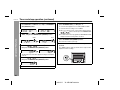
4
Within 10 seconds, press the
or
button to select "ONCE SET" or "DAILY SET", and press the MEMORY/
SET (MEMORY) button.
5
Press the
or
button to select "PLAY" or
"REC", and press the MEMORY/SET (MEMORY) button.
Advanced Features
White
Red
The illustrations show the daily timer setting.
6
Press the
or
button to adjust the hour and
then press the MEMORY/SET (MEMORY) button.
9
Switch input with the
or
button, and then
press the MEMORY/SET (MEMORY) button.
To select the timer playback source: CD, TUNER or TAPE.
To select the timer recording source: TUNER.
When you select the tuner, select a station by pressing the
or
button, and then press the MEMORY/SET
(MEMORY) button.
If a station has not been programmed, "NO PRESET" will be
displayed and timer setting will be cancelled.
10 Adjust
the volume using the VOLUME control, and then
press the MEMORY/SET (MEMORY) button.
Do not turn the volume up too high.
11 Press the ON/STAND-BY button to enter the power standby mode.
The "TIMER" indicator lights up and the unit is ready for timer
playback or timer recording.
The illustrations show the timer playback setting in the daily timer mode.
7
Press the
or
button to adjust the minutes and
then press the MEMORY/SET (MEMORY) button.
/
ASPM
8
Set the time to finish as in steps 6 and 7 above.
36
03/12/17
XL-MP150E 29-44.fm
XL-MP150E
start.
The volume will increase gradually until it reaches the preset
volume.
13 When the timer end time is reached, the system will enter
the power stand-by mode automatically.
Once timer:
The timer will be cancelled.
Daily timer:
The timer will operate at the same time every day. It will continue until the daily timer setting is cancelled. Cancel the daily timer when it is not in use.
Note:
When performing timer playback or recording using another unit connected to the VIDEO/AUX IN socket, select "VIDEO" in step 9.
This unit will turn on or enter the power stand-by mode automatically,
however, the connected unit will not turn on or off.
Checking the timer setting in the timer stand-by mode:
1 Press the CLOCK/TIMER button.
2 Within 10 seconds, press the
or
button to select
"ONCE" or "DAILY", and press the MEMORY/SET (MEMORY)
button.
3 Within 10 seconds, press the
or
button to select
"ONCE CALL" or "DAILY CALL", and press the MEMORY/SET
(MEMORY) button.
The unit returns to the timer stand-by mode after displaying the
settings in order.
Cancelling the timer setting in the timer stand-by mode:
1 Press the CLOCK/TIMER button.
2 Within 10 seconds, press the
or
button to select
"ONCE" or "DAILY", and press the MEMORY/SET (MEMORY)
button.
3 Within 10 seconds, press the
or
button to select
"ONCE OFF" or "DAILY OFF", and press the MEMORY/SET
(MEMORY) button.
Timer will be cancelled (the setting will not be cancelled).
Reusing the memorised timer setting:
The timer setting will be memorised once it is entered. To reuse the
same setting, perform the following operations.
1 Turn the power on and press the CLOCK/TIMER button.
2 Within 10 seconds, press the
or
button to select
"ONCE" or "DAILY", and press the MEMORY/SET (MEMORY)
button.
3 Within 10 seconds, press the
or
button to select
"ONCE ON" or "DAILY ON", and press the MEMORY/SET (MEMORY) button.
4 Press the ON/STAND-BY button to enter the power stand-by
mode.
Advanced Features
12 When the preset time is reached, playback or recording will
Note:
The timer can also be set with the remote control.
37
03/12/17
XL-MP150E 29-44.fm
XL-MP150E
Timer and sleep operation (continued)
Sleep operation
The radio, compact disc and cassette tape can all be turned off automatically.
Advanced Features
1
2
3
4
Play back the desired sound source.
Press the CLOCK/TIMER button.
Within 10 seconds, press the
or
button to select
"SLEEP", and press the MEMORY/SET (MEMORY) button.
Press the
or
button to select the time.
(Maximum: 3 hours - Minimum: 1 minute)
3 hours - 5 minutes 5-minute intervals
5 minutes - 1 minute 1-minute intervals
5
6
Press the MEMORY/SET (MEMORY) button.
"SLEEP" will appear.
The unit will enter the power stand-by mode automatically
after the preset time has elapsed.
The volume will be turned down 1 minute before the sleep operation finishes.
To confirm the remaining sleep time:
1 Whilst "SLEEP" is indicated, press the CLOCK/TIMER button.
2 Within 10 seconds, press the
or
button to select
"SLEEP X : XX".
"X : XX" is sleep remaining time.
The remaining sleep time is displayed for about 10 seconds.
You can change the remaining sleep time whilst it is displayed by
pressing the MEMORY/SET (MEMORY) button (steps 4 - 5).
To cancel the sleep operation:
Press the ON/STAND-BY button whilst "SLEEP" is indicated.
To cancel the sleep operation without setting the unit to the stand-by
mode, proceed as follows.
1 Whilst "SLEEP" is indicated, press the CLOCK/TIMER button.
2 Within 10 seconds, press the
or
button to select
"SLEEP OFF", and press the MEMORY/SET (MEMORY) button.
To use timer and sleep operation together
Sleep and timer playback:
For example, you can fall asleep listening to the radio and wake up
to CD in the next morning.
Sleep and timer recording:
For example, you can fall asleep listening to the CD and record radio
programmes whilst sleeping.
1
2
Set the sleep time (see left, steps 1 - 5).
Whilst the sleep timer is set, set the timer playback or recording
(steps 2 - 10, pages 35 - 36).
Sleep timer setting
Timer playback or
recording setting
1 minute - 3 hours
Sleep operation will
automatically stop.
End time
Desired time
Timer playback or recording
start time
Caution:
When using the cassette deck, be sure the tape length is long
enough to perform both functions. If you want to sleep and wake up
listening to a tape, and the length of the tape is shorter than the
sleep timer setting, timer playback or recording will not be possible.
38
03/12/17
XL-MP150E 29-44.fm
Enhancing your system
XL-MP150E
Listening to the playback sounds from VCR,
DVD, etc.
The connection lead is not included. Purchase a commercially available lead as shown below.
1
When using video equipment, connect the audio output to this
unit and the video output to a television.
To the line
output socket
ANTENNA
White
AM
LOOP
FM
75 OHMS
Red
VIDEO/AUX
IN
RIGHT
LEFT
Use a connection lead to connect the VCR, DVD, etc. to the
VIDEO/AUX IN sockets.
2
3
4
Press the ON/STAND-BY button to turn the power on.
Press the USB/VIDEO/AUX button.
Play the connected equipment.
Red White
AC INPUT
SPEAKERS
RATED SPEAKER IMPEDANCE:
6 OHMS MIN.
RIGHT
LEFT
RCA lead
(not supplied)
SUBWOOFER
PRE-OUT
Note:
To prevent noise interference, place the unit away from the television.
To record on a tape
/
1
Insert a cassette in the cassette compartment.
2
Press the USB/VIDEO/AUX button.
3
Press the
4
Press the
5
Play the VCR, DVD, etc.
button.
/
(TAPE
) or
(TAPE
) button.
Advanced Features
VCR, DVD, etc.
Headphones
Auto power on function:
When you press any of the following buttons, the unit turns on.
USB/VIDEO/AUX button (main unit and remote control): The unit
turns on and the last function is activated. (USB/VIDEO/AUX)
/ button on the main unit: The unit turns on and playback of
the last function starts (CD, TAPE, TUNER, USB/VIDEO/AUX).
Before plugging in or unplugging the headphones, reduce the volume.
Be sure your headphones have a 3.5 mm (1/8") diameter plug and
impedance between 16 and 50 ohms. The recommended impedance is 32 ohms.
Plugging in the headphones disconnects the speakers automatically. Adjust the volume using the VOLUME control.
39
03/12/17
XL-MP150E 29-44.fm
XL-MP150E
Enhancing your system (continued)
Subwoofer connection
When a commercially available speaker with a built-in amplifier is
connected to this unit, you can enjoy sound with emphasised bass.
Connect an RCA lead from a commercially available speaker with a
built-in amplifier to the SUBWOOFER PRE-OUT socket.
ANTENNA
Many potential problems can be resolved by the owner without calling a service technician.
If something is wrong with this product, check the following before
calling your authorised SHARP dealer or service centre.
General
Symptom
The clock is not set to the
correct time.
When a button is pressed,
the unit does not respond.
AM
LOOP
FM
75 OHMS
VIDEO/AUX
IN
RIGHT
LEFT
No sound is heard.
RATED SPEAKER IMPEDANCE:
6 OHMS MIN.
AC INPUT
SPEAKERS
Advanced Features
Troubleshooting chart
RIGHT
LEFT
SUBWOOFER
PRE-OUT
Possible cause
Did a power failure occur? Reset
the clock.
Set the unit to the power standby mode and then turn it back on.
If the unit still malfunctions, reset
it.
Is the volume level set to "0"?
Are the headphones connected?
Are the speaker wires disconnected?
CD player
Speaker with a
built-in amplifier
Symptom
Playback does not start.
Playback stops in the middle or is not performed
properly.
Playback sounds are
skipped, or stopped in the
middle of a track.
Possible cause
Is the disc loaded upside down?
Does the disc satisfy the standards?
Is the disc distorted or
scratched?
Is the unit located near excessive
vibrations?
Is the disc very dirty?
Has condensation formed inside
the unit?
40
03/12/17
XL-MP150E 29-44.fm
XL-MP150E
Cassette deck
Cannot record tracks with
proper sound quality.
Cannot erase completely.
Sound skipping.
Cannot hear treble.
Sound fluctuation.
Cannot remove the tape.
Possible cause
Is the erase-prevention tab removed?
Is it a normal tape? (You cannot
record on a metal or CrO tape.)
Symptom
Distortion or no sound.
Is there any slack?
Is the tape stretched?
Are the capstans, pinch rollers,
or heads dirty?
If a power failure occurs during
playback, the heads remain engaged with the tape. Do not open
the compartment with great
force.
Sound skips or the PC
screen freezes up.
No sound is heard from
the PC.
Tuner
Symptom
The radio makes unusual
noises continuously.
Possible cause
Is the unit placed near the TV or
computer?
Is the FM aerial or AM loop aerial
placed properly? Move the aerial
away from the AC power lead if
it's located nearby.
Possible cause
Is the volume set properly on the
music software?
Is “USB Audio Device” selected
as the default device in the audio
properties?
Is any software other than the
music software open?
If the unit is recognised by the
PC, disconnect the USB cable
and restart the PC. Or set the unit
to the power stand-by mode and
then turn it back on.
Condensation
Sudden temperature changes, storage or operation in an extremely
humid environment may cause condensation inside the cabinet (CD
pickup, tape heads, etc.) or on the transmitter on the remote control.
Condensation can cause the unit to malfunction. If this happens,
leave the power on with no disc (or cassette) in the unit until normal
playback is possible (about 1 hour). Wipe off any condensation on
the transmitter with a soft cloth before operating the unit.
References
Symptom
Cannot record.
USB
Remote control
Symptom
The remote control does
not operate.
Possible cause
Is the AC power lead of the unit
plugged in?
Is the battery polarity correct?
Are the batteries dead?
Is the distance or angle incorrect?
Does the remote control sensor
receive strong light?
41
03/12/17
XL-MP150E 29-44.fm
XL-MP150E
Troubleshooting chart (continued)
If trouble occurs
When this product is subjected to strong external interference (mechanical shock, excessive static electricity, abnormal supply voltage
due to lightning, etc.) or if it is operated incorrectly, it may malfunction.
If such a problem occurs, do the following:
1 Set the unit to the stand-by mode and turn the power on again.
2 If the unit is not restored in the previous operation, unplug and
plug in the unit, and then turn the power on.
Note:
If neither operation above restores the unit, clear all the memory by
resetting it.
References
Clearing all the memory (reset)
1
2
Press the ON/STAND-BY button to enter the power stand-by
mode.
Whilst pressing down the
button and the X-BASS/DEMO button, press the TUNING button until "CLEAR ALL" appears.
Before transporting the unit
Remove all CDs from the unit. Make sure there is no CD in the disc
tray. Then, set the unit to the power stand-by mode. Carrying the
unit with discs left inside can damage the unit.
Care of compact discs
Compact discs are fairly resistant to damage, however mistracking
can occur due to an accumulation of dirt on the disc surface. Follow
the guidelines below for maximum enjoyment from your CD collection and player.
Do not write on either side of the disc, particularly the non-label
side from which signals are read. Do not mark this surface.
Keep your discs away from direct sunlight, heat, and excessive
moisture.
Always hold the CDs by the edges. Fingerprints, dirt, or water on
the CDs can cause noise or mistracking. If a CD is dirty or does
not play properly, clean it with a soft, dry cloth, wiping straight out
from the centre, along the radius.
NO
Caution:
This operation will erase all data stored in memory including clock,
timer settings, tuner preset, and CD programme.
42
03/12/17
XL-MP150E 29-44.fm
YES
Correct
Maintenance
XL-MP150E
Cleaning the tape-handling parts
Cleaning the cabinet
Dirty heads, capstans or pinch rollers can cause poor sound and
tape jams. Clean these parts with a cotton swab moistened with
commercial head/pinch roller cleaner or isopropyl alcohol.
When cleaning the heads, pinch rollers, etc., unplug the unit which
contains high voltages.
Pinch roller
Capstan
D
B
Caution:
Do not use chemicals for cleaning (petrol, paint thinner, etc.). It
may damage the cabinet finish.
Do not apply oil to the inside of the unit. It may cause malfunctions.
A
References
C
Periodically wipe the cabinet with a soft cloth and a diluted soap
solution, then with a dry cloth.
Erase head
Recording/Playback head
After long use, the deck's heads and capstans may become magnetised, causing poor sound. Demagnetise these parts once
every 30 hours of playing/recording time by using a commercial
tape head demagnetiser. Read the demagnetiser's instructions
carefully before use.
43
03/12/17
XL-MP150E 29-44.fm
XL-MP150E
Specifications
As part of our policy of continuous improvement, SHARP reserves
the right to make design and specification changes for product
improvement without prior notice. The performance specification figures indicated are nominal values of production units. There may be
some deviations from these values in individual units.
General
Power source
Power
consumption
Dimensions
References
Weight
AC 230 - 240 V, 50 Hz
100 W
Width: 185 mm (7-1/4")
Height: 260 mm (10-1/4")
Depth: 307 mm (12")
6.4 kg (14.1 lbs.)
Output terminals
Input terminals
D/A converter
Frequency
response
Dynamic range
5-disc multi-play compact disc player
Non-contact, 3-beam semiconductor laser
pickup
1-bit D/A converter
20 - 20,000 Hz
90 dB (1 kHz)
Tuner
Frequency range
FM: 87.50 - 108.00 MHz
AM: 522 - 1,620 kHz
Cassette deck
Amplifier
Output power
CD player
Type
Signal readout
MPO: 376 W (188 W + 188 W) (10% T.H.D.)
RMS: 200 W (100 W + 100 W) (10% T.H.D.)
RMS: 160 W (80 W + 80 W) (0.9% T.H.D.)
Speakers: 6 ohms
Headphones: 16 - 50 ohms
(recommended: 32 ohms)
Subwoofer pre-out (audio signal):
200 mV/10 k ohms at 70 Hz
Video/Auxiliary (audio signal):
500 mV/47 k ohms
USB input: USB type
Frequency
response
Signal/noise ratio
Wow and flutter
50 - 14,000 Hz (normal tape)
50 dB (recording/playback)
0.3 % (WRMS)
Speaker
Type
Maximum input
power
Rated input power
Impedance
Dimensions
Weight
2-way type speaker system
5 cm (2") tweeter
13 cm (5-1/8") woofer
200 W
100 W
6 ohms
Width: 185 mm (7-1/4")
Height: 260 mm (10-1/4")
Depth: 260 mm (10-1/4")
3.1 kg (6.8 lbs.)/each
44
03/12/17
XL-MP150E 29-44.fm
MEMO
MEMO
FOR LOCATION ENQUIRIES WITHIN
FOR LOCATION ENQUIRIES WITHIN
AUSTRALIA
NEW ZEALAND
REGARDING YOUR LOCAL
REGARDING YOUR LOCAL
SHARP APPROVED SERVICE CENTRE
SHARP APPROVED SERVICE CENTRE
VISIT OUR WEBSITE AT
VISIT OUR WEBSITE AT
www.sharp.net.au
www.sharp.net.nz
OR CALL SHARP CUSTOMER CARE
CONTACT YOUR SELLING DEALER/RETAILER
OR CALL
1300 135 022
(LOCAL CALL COST APPLY WITHIN AUSTRALIA)
SHARP CORPORATION OF AUSTRALIA PTY LTD
SHARP CUSTOMER SERVICES
TELEPHONE: 09 573 0111
FACSIMILE: 09 573 0113
SHARP CORPORATION OF NEW ZEALAND LIMITED
SPform019(JUNE 2004)
MPX150E_BacK
1
3/4/05, 4:08 PM
WARRANTY
Consumer Electronic Products
Congratulations on Your Purchase!
This Sharp product is warranted against faults in materials and manufacture for a period of twelve(12) months from the
date of original purchase.
If service is required during the warranty period, please contact your nearest Sharp Approved Service Centre.
These repairs would be carried out at no charge to the owner, subject to the conditions specified herein.
The owner is responsible for any transportation and insurance costs if the product has to be returned for repair.
This warranty does not extend to accessories or defects or injuries caused by or resulting from causes not
attributable to faulty parts or the manufacture of the product, including but not limited to, defect or injury caused
by or resulting from misuse, abuse, neglect, accidental damage, improper voltage, liquid spillage, vermin
infestation, software, or any alterations made to the product which are not authorised by Sharp.
Please retain your sales documentation, as this should be produced to validate a warranty claim.
OF
N
IO D
AT ITE
R
O IM ive
RP D L Dr
CO N on
P ALA hnst and
R
A ZE Jo kl
SH EW go Auc
N Hu se,
F
O
59 enro
N D
P
O
E
I
AT IMIT
R
L
O . 5
P
Y
R T 40
8
CO P 9 ive 4
P LIA 03 Dr 21
AR TRA 003 ood SW
H
N
S US 40 gw d
A BN ntin oo
A Hu ingw
1 unt
H
4
01
Retailer
rm
Date of Purchase
SP
fo
Model No.
Serial No.
(J
U
N
E
20
For your reference, please enter the particulars of your purchase below and retain,
with your purchase documentation.
04
IMPORTANT
DO NOT RETURN THIS DOCUMENT TO SHARP
)
This warranty is in addition to and in no way limits, varies or excludes any express and implied rights and
remedies under any relevant legislation in the country of sale.
IMPORTANT NOTICE: This warranty applies only to products sold in Australia & New Zealand
SHARP CORPORATION
MPX150E_BacK
2
TINSE A087 AWZZ
05C R AS 1
3/4/05, 4:08 PM