1
Welcome to your Muratec fax machine!
We know you want to use your machine now, without first having to
climb over a mountain of jargon.
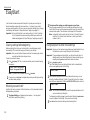
So we’ve divided these instructions into three sections.
• “Getting started” (see page 1.1) covers only what you absolutely
have to know to use your machine immediately.
• “Beyond the basics” (see page 2.1) provides more details. When
you have time, look through it to learn more about your machine’s
many features, as well as fax in general.
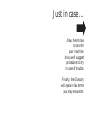
• Finally, “Just in case … ” (see page 3.1) will help you decide what
to do if you ever have a problem with your machine. It also tells
you how to give it the kind of easy, sensible care that should help
keep troubles to a minimum.
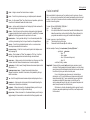
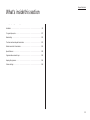
The next two pages show the entire contents of these instructions.
Skim through them now if you’d like (they’ll prove more helpful as
time passes), or just go on past them to “Getting started” and, well,
get started!
And thanks for choosing Muratec.
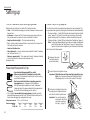
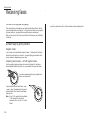
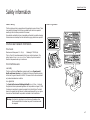
Find your serial number and write it down
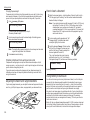
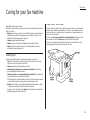
Bar
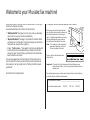
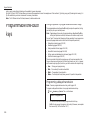
Before you go any further, please note that
your machine’s serial number is located on the code
label
bar code label as shown on the drawing at
right. It’s probably a good idea for you to copy
this down before you set up your machine.
Use the blank at the bottom of this column.
Note: The IC label and ID label, required by
government regulations, do not contain serial number information.
IC and ID labels
Close up, the bar code label looks something like this:
Important: Of course, this is not the number which should appear on your
machine’s label. Rather, this is only to give you an idea of how your
label will look.
Now, please copy down your machine’s serial number, below, for future reference,
as well as noting the machine’s model number:
My machine’s serial number: ________________________________________
My machine’s model number:
o F-150
o F-120
o F-100