1
Appendix
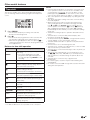
Getting information
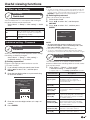
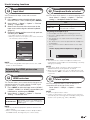
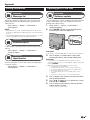
Updating your TV via USB
Information
Information
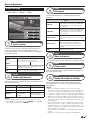
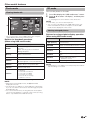
Message list
Software update
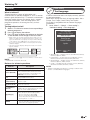
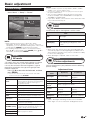
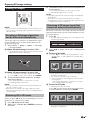
When new software is detected, you can confirm the
update information and download the software from
“Message list”.
Go to “Menu” > “Setup” > “Information” >
“Message list”.
NOTE
• When the TV succeeds at downloading new software, the
message is updated in the “Message list” of the “Information”
menu.
• The software update will not be carried out if there is no new
software available at the specified download time.
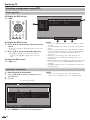
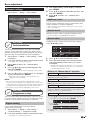
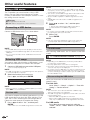
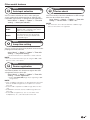
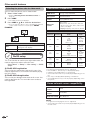
This function allows you to update to the latest software
using a USB device. You must update the software
through the USB terminal.
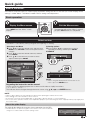
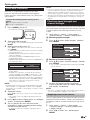
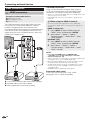
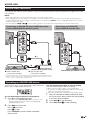
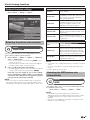
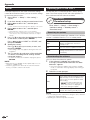
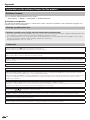
1 Go to “Menu” > “Setup” > “Information” >
“Software update”.
2 Press A and then insert the USB device
containing the software update file.
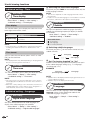
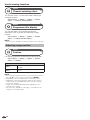
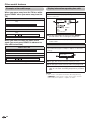
Information
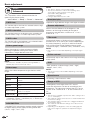
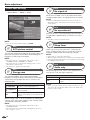
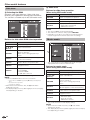
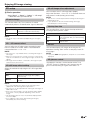
Receiver report
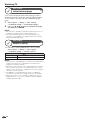
Display reports regarding failures and changes for timer
settings.
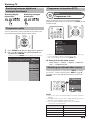
Go to “Menu” > “Setup” > “Information” >
“Receiver report”.
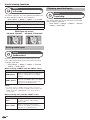
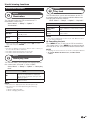
Information
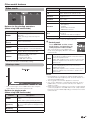
Identification
You can check the TV ID on the screen for reporting to
customer service.
Go to “Menu” > “Setup” > “Information” >
“Identification”.
CAUTION
• Be sure to insert the USB device correctly into the terminal.
3
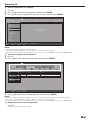
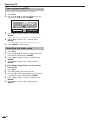
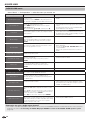
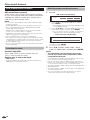
The TV displays a confirmation screen while
checking the data in the inserted USB device.
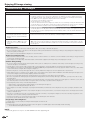
CAUTION
• If the data is not compatible with the system, an error
message appears on the screen. Repeat steps 2 and 3 after
pressing A.
• When an error message displays, check to see if:
•
•
•
•
•
4
5
6
The USB device is inserted firmly.
The USB memory has two or more software update files.
No data for updating the system exists in the USB memory.
The software update file is broken.
The software update file is not compatible with your TV’s
software.
• The current system is same as the system update data.
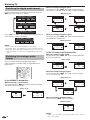
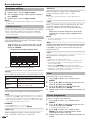
The TV displays the software version information
after checking the data.
Press c/d to select “Yes” to update the system,
and then press A.
The TV restarts automatically, and the software
update will be complete.
• This operation may take a while.
67