1
VIEW Configuration Guide: Enterasys Networks
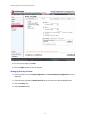
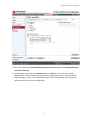
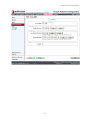
6 To save your changes, click Save.
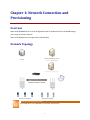
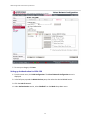
7 Connect the Enterasys Wireless Controller’s data port to the network infrastructure with an RJ45
cable.
Enterasys Wireless AP Discovery
Wireless APs discover the IP address of a Enterasys Wireless Controller using a sequence of mechanisms
that allow for the possible services available on the enterprise network. The discovery process is
successful when the Wireless AP successfully locates a Enterasys Wireless Controller to which it can
register.
Ensure that the appropriate services on your enterprise network are prepared to support the discovery
process. The following three steps summarize the most commonly used discovery methods (For
additional methods, refer to Enterasys Wireless Convergence Software User Guide Version 8.11.xx):
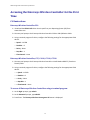
1 Use Dynamic Host Configuration Protocol (DHCP) Option 60 to query the DHCP server for available
Enterasys Wireless Controllers. The DHCP server will respond to the Wireless AP with Option 43,
which will list the available Enterasys Wireless Controllers.
For the DHCP server to respond to a Wireless AP’s Option 60 request, the DHCP server with the
vendor class identifier (VCI) for each Wireless AP must be configured. The DHCP server must be
configured with the IP addresses of the Enterasys Wireless Controllers.
20