Download Barco ClickShare User guide
Transcript
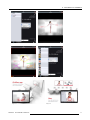
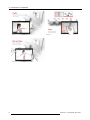
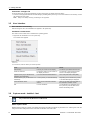
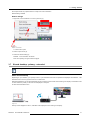
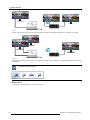
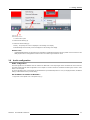
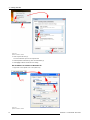
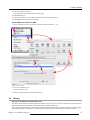
3. Getting Started Image 3-22 Shared desktop selection A context menu opens. 2. Select Shared Desktop (2). 3. Select the desired setting (3). Primary : the primary PC screen is displayed on the meeting room display. Extended always the secondary screen is displayed on the meeting room display. Known issue • 3.8 Virtual Extended Desktop not supported on some Windows7 and Windows8 systems due to a problem in recent versions of the AMD graphical driver. Downgrade to an older version of the driver might resolve the issue. Audio configuration Audio configuration The audio signals from the different users are mixed in the Base Unit to one output signal. Each connected user must control his own audio signal using the audio configuration of his computer. If he does not want to broadcast his audio signal, he has to mute audio on his computer. For some operating system, it is necessary to set ClickShare as your default output device. Once you unplug the Button, the default setting is switched back to the previous setting. Set ClickShare as default in Windows 7 1. Right click on the speaker icon in the system tray (1). R5900001 CLICKSHARE 08/07/2013 23