1
AG2417 Web and Mobile GIS
Autumn 2012
Rui Zhu and Gyözö Gidófalvi
Lab 1: Design a Dynamic Map
Due Sep 7
1. Task
The aim of this lab is to gain basic concept of web map, and get basic skills of building maps
based on ArcGIS API. The lab assumes that you are a new beginner with no knowledge of HTML
and CSS. After a short study of some tutorials, following a simple example you will create an
image based static map in Eclipse with HTML and CSS. Then, you will do one more simple
exercise on ArcGIS API for JavaScript.
2. Tutorials
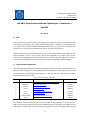
The tutorials on http://www.html.net (last accessed 2012-07-09), can help you get a main idea
of what HTML and CSS are. Before you physically start this lab, you should read the first four
lessons of HTML tutorial (http://www.html.net/tutorials/html/), and the first six lessons of CSS
tutorial (http://www.html.net/tutorials/css/). Also, there is a very good video tutorial that you
can refer to http://code.google.com/edu/submissions/html-css-javascript/.
Part 1 – Make a HTML Map
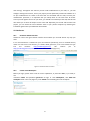
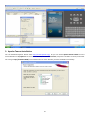
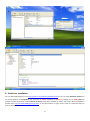
Run Eclipse -> File -> New -> Static Web Project. Fill the Project name: Lab1, leave Context root
and Web content folder name as initially. Click the Finish button to create a project.
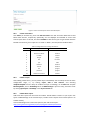
In the Project Explorer, right click WebContent, then New -> HTML File. Set File name as
index.html and click Finish to create a new HTML file. Now you will see the initial HTML code as
follows.
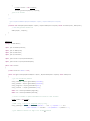
<!DOCTYPE html PUBLIC "-//W3C//DTD HTML 4.01 Transitional//EN"
"http://www.w3.org/TR/html4/loose.dtd">
<html>
<head>
<meta http-equiv="Content-Type" content="text/html;
charset=ISO-8859-1">
<title>Insert title here</title>
</head>
<body>
2