1
TAKING A FIRST LOOK
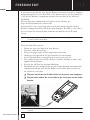
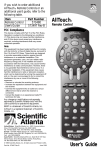
The Avidea Remote Control is a Radio Frequency (RF) and Infrared (IR)
remote that can be programmed to operate all the Devices connected to your
Avidea System, such as your TV, cable box, satellite receiver, VCR, etc. It has
an extensive library of codes for these Devices that can be easily programmed.
See "Entering Codes for Other Devices" on p. 21.
In addition, the Avidea Remote can "learn" codes from your existing remote
controls that are not already stored in its library. See "Learning Commands"
on p. 24.
You can label the touch screen buttons on the Avidea Remote. Characters and
numbers are available for labeling as well as various audio and video symbols.
See ‘Labeling Buttons and Devices’ on p. 26.
Recording macros is another feature of the Avidea Remote. If you wish to
assign a sequence of commands to a single button, you can record a macro. See
‘Recording Macros’ on p. 28.
We have provided you with software for use on a PC called Freedom Edit, so
that you can create your own screens and create an individualized look for
your remote. You can find Freedom Edit on the included CD-ROM and on
the Boston Acoustics website www.bostonacoustics.com/avidea. Freedom
Edit’s online help system will guide you through the process. In the future
Freedom Edit will also allow you to upgrade your Avidea Remote. See
‘Freedom Edit’ on p. 32.
SETUP AND USE GUIDE
2