1
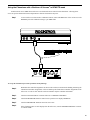
4. Rear Panel
1
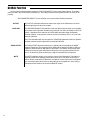
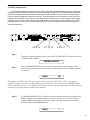
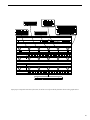
BALANCED OUTPUT LEVEL control
This control determines the output level at the XLR BALANCED OUTPUTS. Note that the
balanced outputs pass the same signals as the unbalanced outputs, except that the levels
are independently adjustable.
2
(L) BALANCED OUTPUT connector
This balanced XLR connector provides the left balanced output of the Chameleon for
direct use into a mixing console.
3
(R) BALANCED OUTPUT connector
This balanced XLR connector provides the right balanced output of the Chameleon for
direct use into a mixing console.
4
(L) UNBALANCED OUTPUT jack
This 1/4" unbalanced RTS jack provides the left unbalanced output of the Chameleon for
use with a guitar amplifier or rack system setup.
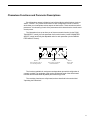
In addition, this jack also allows for the connection of stereo headphones (600ohms
impedance or greater).
6
5
(R) UNBALANCED OUTPUT jack
This 1/4" unbalanced RTS jack provides the right unbalanced output of the Chameleon for
use with a guitar amplifier or rack system setup.
6
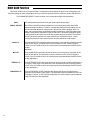
FOOTSWITCH jack
This 1/4" mono jack allows for the connection of a momentary footswitch to control the
Tapped Delay feature of the Chameleon. The Tapped Delay feature allows the player to
set (or reset) the current delay time by tapping the footswitch. The new delay time will be
based on the length of time between two taps. For more information on this feature, refer
to the "Tap Delay" section .
7
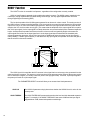
REMOTE jack
This 7-pin DIN connector is provided for the connection of a Rocktron All Access® MIDI
footswitch, which can be configured to act as a dedicated remote footswitch for the
Chameleon. This feature allows the user to access Chameleon functions and parameters
via the remote footswitch.