1
Loading a Profile
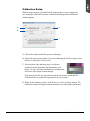
Once the profile has been produced, follow the steps below to load the profile you
just created.
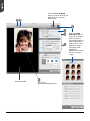
1. Launch ScanWizard Pro.
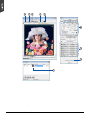
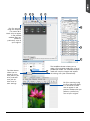
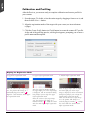
2. In the Preview window, click the Scan Material icon. Select the “Reflective”
option for reflective materials; select the “Positive” or “Positive Film” option for
transparencies and slides.
3. From the Settings window, click the Scanner Profile/Input Profile list box, and
select the profile you have just created.
ScanMaker 9800XL Plus User Guide
35