1
Page 60 – 3. Patching
•
The new personality is loaded from the Titan/Personalities
folder.
3.3
Copying, moving and deleting fixtures
3.3.1
Copying or moving a patched fixture
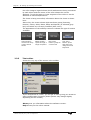
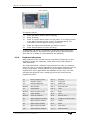
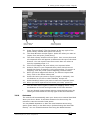
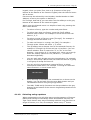
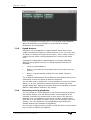
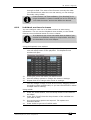
Using the Copy/Move/Link button you can make a copy of an existing
fixture or move it to a new button. You cannot link fixture buttons.
You can copy or move multiple fixtures in one operation.
Move is useful for tidying up the console.
3.3.2
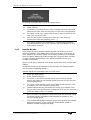
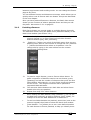
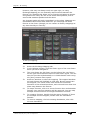
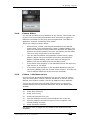
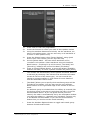
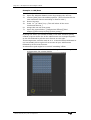
1>
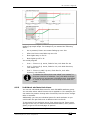
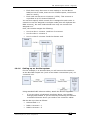
Press the Copy/Move/Link button.
2>
Select [Copy] or [Move]. Pressing the Copy button again will
also toggle through these options.
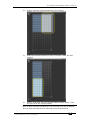
3>
Press the Select button of the fixture you want to copy/move.
You can select multiple fixtures.
4>
Press the empty Select button where you want it to go.
•
The Menu Latch button latches the Copy/Move/Link menu, so
you can keep copying or moving things without having to keep
pressing the Copy/Move/Link button. Press again to unlatch.
•
There is also a Move button for instant access to the move
function.
•
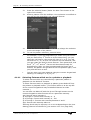
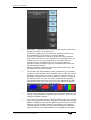
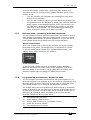
The [Retain Layout] or [Bunch Up] option is used when copying
a group of fixtures with empty handles in the group – you can
either keep the empty handles, or bunch up the used handles
together. There is also a [Bunch Up With Offset] option which
allows you to leave a gap in the DMX channels, if you are
running a show where you need to exchange fixtures to ones
which use more DMX channels.
•
When in Copy mode, option [Copy Legends] can be changed to
[Don’t copy legends] so that the copied fixtures are given
default legends.
•
When in Move mode, [Swap Items if Required] will attempt to
reposition any existing handles which are in the way of the
move. This is useful when rearranging buttons on a page which
is nearly full.
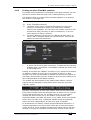
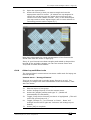
Using copied fixtures
Fixture copying is very useful if you need an additional fixture of a
type you’ve already patched and programmed. The new copy will
come complete with all the cues and palettes of the original fixture
you’ve copied.
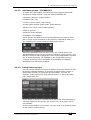
The copied fixture will be “Parked” (have no DMX channel allocated)
and you will need to repatch it before you can use it (see section
3.2.1 above).
3.3.3
Deleting a patched fixture
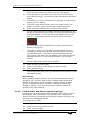
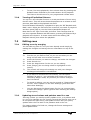
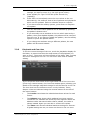
You can delete a fixture or dimmer from a button if you patched it
accidentally or if you change your rig and want to use the button for
something else.
TitanUniversal_Man_v8-0_TT.doc 05 August 2014