1
TROUBLESHOOTING
Problem
Possible Causes
Action
No Output
Amplifier
Make sure the amplifier channel is being fed an input
signal (preferably via a “signal input” indicator on the
amp).
Check that the amplifier channel’s volume is turned
up.
Connect the speaker and cable, which had no output
to another amplifier channel, making sure an input
signal is fed to the new amp channel. If you then get
output, the problem was the amplifier channel. If not,
then the problem may be in the cable or speaker.
Speaker cable(s)
Faulty connection
Questionable or
intermittent output
such as crackling
Replace the cable(s) connecting the loudspeaker
system and amplifier.
Check all cabling for proper connector contact. A bad
connection can result in intermittent contact or
dramatically increased resistance, which in turn can
cause reduced output or noises unrelated to the
signal.
Improper power tap
setting
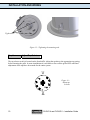
Check the power tap setting under the speaker grille
to ensure the setting is appropriate for the installation
and amplifier chosen.
Constant noise,
such as buzzing,
hissing, or
humming
A faulty electronic
device in the signal
chain
Since loudspeakers cannot generate these sounds by
themselves, you may have a faulty electronic device,
or a faulty ground in the signal chain.
Poor lowfrequency output
Out-of-polarity
hookup between
multiple speakers
When two speakers are hooked up out of polarity, the
low frequencies cancel each other out. Make sure that
the “ + ” and “ – “ from the amplifier output are not
crossed on one or more of the speakers.
If none of the suggestions above solve your problem, please contact Community’s Service Center
at (800) 523-4934 or (610) 876-3400.
CLOUD 4 and CLOUD 6 – Installation Guide
13