1
R
Playback
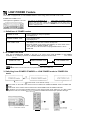
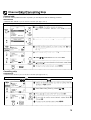
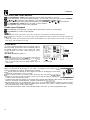
Auto Tracking Control System
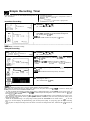
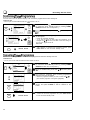
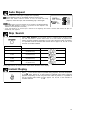
This function automatically adjusts the tracking to match the
recorded tape. Auto tracking engages In the following
cases:
l When you insert the cassette and begin playback.
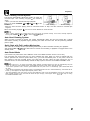
*When you press CHANNEL A and 7 (CH A and v) at the
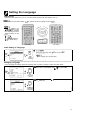
Poor tracking
Normal tracking
same time.
*When the VCR has been playing back an unrecorded section of tape, and then reaches a recorded tape
segment.
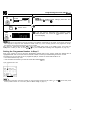
When auto tracking engages, ” .” on the TV screen flashes for a few seconds.
l
When a poorly recorded tape is played back, auto trackrng may not operate normally. In this event, manually adjust the
tracking with CHANNEL A/v (CH A/T) to make any noise disappear.
Auto Head Cleaning System
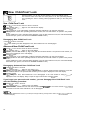
When the tape is inserted or ejected, this system automatically cleans the drum and heads with a special
roller before recording or playback begins, protecting the heads and drum from dirt and preserving beautiful
picture quality.
Quick Start with Full Loading Mechanism
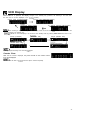
Your VCR has a standby function (Full Loading Mechanism) to allow immediate recording and playback.
After pressing REC or PLAY/XS, it takes about 2 seconds until recording or playback is engaged when in the
standby mode.
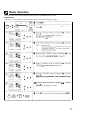
Auto Rental Mode
(This function only works when AUTO RENTAL mode on the MODE selection screen is set to ON.)
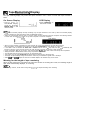
The convenient auto rental mode lets you enjoy playback with ease. When you insert a cassette with the
erasure protection tab removed (rental videos, etc.), your VCR automatically turns on the power, winds the
tape forward to find the recorded section, and plays back the tape. When the tape reaches the end of
recorded section, the VCR automatically rewinds the tape, ejects it and turns into POWER STANDBY mode.
If there is more than a 15 second unrecorded section between recorded sections, the tape will automatically stop and
rewind. To watch the next recorded section, press STOP fast forward to that section and play the tape.
l
If the erasure protection hole IS covered, press PLAY/x2 after the power turns on automatically. (Auto Rental Mode does
not work.)
l If Auto Rental and Repeat (Auto Repeat) modes on the MODE selection are set to ON simultaneously, Auto Rental will not
function. (If this happens, set Repeat (Auto Repeat) mode to OFF.)
l The AUTO REPEAT mode has priority over the AUTO RENTAL mode. If the AUTO REPEAT mode is set to ON and the
video cassette reaches its end, the VCR will rewind the tape and play it back again without ejectrng the tape or turning
into POWER STANDBY mode.
l
21