1
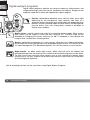
Auto power save (data-transfer mode)
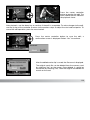
If the camera does not receive a read or write command within ten minutes, it will shut down to save
power. When the camera shuts down, an unsafe-removal-of-device warning may appear on the
computer monitor. Click “OK.” Neither the camera or computer will be damaged in this operation.
Unplug the USB cable and turn off the camera. Remake the USB connection by reattaching the cable
and turning the camera on.
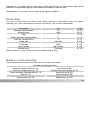
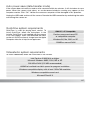
Quicktime system requirements
QuickTime is used for playing back movies. To
install QuickTime, follow the instructions in the
installer. QuickTime is not supplied with the camera
in all sales regions. Users can download the latest
version of QuickTime free of charge from the Apple
Computer web site at http://www.apple.com.
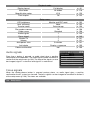
IBM PC / AT Compatible
Pentium processor-based PC
or compatible computer
Windows 98, Me, 2000, or XP.
128MB or more of RAM
Videostudio system requirements
To install VideoStudio, follow the instructions in the installer.
Intel Pentium III 800 MHz or higher
Microsoft Windows 98SE, 2000, ME or XP
256 MB of RAM (512 MB recommended)
600MB of available hard disk space for program installation
Windows-compatible display with at least 1024x768 resolution
Windows-compatible sound card
Microsoft DirectX 9
147