1
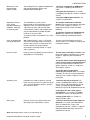
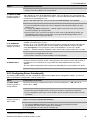
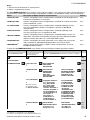
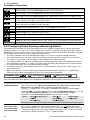
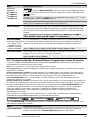
1. INTRODUCTION 1. INTRODUCTION PowerMaster-10 G2 and PowerMaster-30 G2 are PowerG-enabled professional all-in-one wireless security, fire and safety systems supporting advanced applications and Visonic's new revolutionary PowerG™ Two-Way, Time Division Multiple Access (TDMA) and Frequency Hopping Spread Spectrum (FHSS) wireless technology. This offers unmatched wireless robustness, superior range and long battery life; a perfect and user friendly solution for both monitoring service providers and professional installers. This manual refers to PowerMaster-10/30 G2 v17 and above. The most updated manuals can be downloaded from the Visonic Web site http://www.visonic.com. Note: For UL installations, please contact the manufacturer for the most recent version of UL approved documentation. Note: "Pmaster" is used as an abbreviation for "PowerMaster". The PowerMaster-10/30 G2 control panel is supplied with 2 instruction manuals: Installer's Guide (this manual) – for use of system installer during system installation and configuration User’s Guide -– also for use of system installer during system installation and configuration, but also for the master user of the system, once installation is completed. Hand over this manual to the master user of the system. 1.1 System Features The following table lists the PowerMaster features with a description of each feature and how to use it. Feature Description How to configure and use Visual Alarm Verification The PowerMaster when used with Next CAM PG2 PIR-camera detector and GPRS communication is able to provide the Monitoring Station with clips captured in alarm situations. The system sends the clips to the Monitoring Station automatically for burglary alarms and, depending on setup, also for fire and personal emergency alarms. 1. Setup GPRS communication: see GSM Module Installation (section 3.4 for PowerMaster-10 G2 or section 4.4 for PowerMaster-30 G2) Note: PowerMaster-10 G2 / PowerMaster-30 G2 are compatible with the following UL/ULC listed receivers: SG-System I, SG-System III, SG-System IV. On demand clips from cameras Easy Enrollment 2. Configure camera settings: refer to the Next CAM PG2 Installation Instructions 3. Enable fire and personal alarm verification: see section 5.6.6 Configuring Motion Cameras for Video Alarm Verification The PowerMaster can provide images from the Next CAM PG2 by demand from a remote PowerManage server. Pictures are taken based on a command from the monitoring station. To protect customers' privacy, the system can be customized to enable the "On Demand View" only during specific system modes (i.e. Disarm, Home & Away) and also to a specific time window following an alarm event. 1. Setup the On demand feature: see section 5.6.6 Configuring Motion Cameras for Video Alarm Verification PowerG devices are enrolled from the control panel. "Pre-enrollment" can also be performed by entering the PowerG device ID number and then activating the device in the vicinity of the panel. To enroll or pre-enroll devices: see section 5.4.2 Adding New Wireless Devices or Wired Sensors D-304762 PowerMaster-10/30 G2 Installer's Guide 2. To request and view images: refer to the PowerManage User's Guide, Chapter 5 Viewing and Handling Events 3