1
Chapter 1 Introduction
Installation and Operation Manual
will accept and answer any message: this is not permitted in multidrop operation.
Address 0 is however recommended for use with both point-to-point and dial-up
modes.
CONTROL DTE Port
The other serial port, which is terminated in the connector designated CONTROL
DTE, generally operates as a DTE interface and is intended for direct connection to
a dial-up modem, for automatic reporting of alarms. This port does not support the
connection of a supervision terminal.
Serial Port Communication Parameters
FCD-E1 can communicate with the supervision terminal or modem at rates of 300,
1200, 2400, 4800, 9600, or 19200 bps. Automatic data rate identification
(Autobaud function) is also available. The word format consists of one start bit, 7 or
8 data bits, and one stop bit.
Parity can be odd, even or disabled. Always make sure the communication
interfaces of the terminal/modem and the FCD-E1 are configured for operation
with the same parameters.
Handshaking Protocol with Supervision Terminals
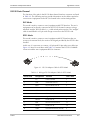
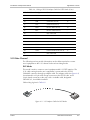
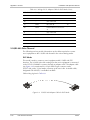
The handshaking between the FCD-E1 and the supervision terminal uses the
control lines in the CONTROL DCE supervisory port connector. Since the interface
mode is selected by software, the direction of the interface signals is the same in
both the DCE and DTE mode, and a cross cable is required for the DTE mode.
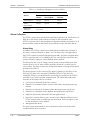
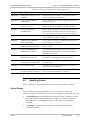
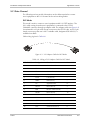
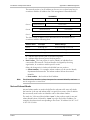
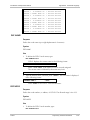
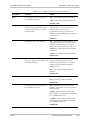
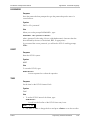
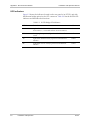
The control lines being used in each mode, and the direction of the control signals,
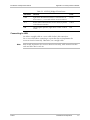
are detailed in the following chart.
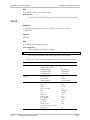
Control Line
CONTROL DCE Interface Mode
DCE
DTE
CTS
Out
Not used
DCD
Out
Out
DSR
Out
Out
DTR
In
In
RTS
In
In
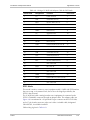
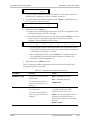
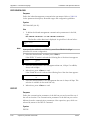
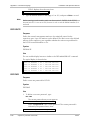
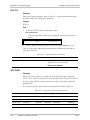
Data Terminal Ready (DTR)
The supervision terminal sets the DTR line ON (active) to gain control over the
FCD-E1 and start a configuration/monitoring session.
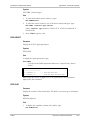
When the DTR line is OFF (inactive), terminal control ends. If password protection
is used, the password must be entered again the next time the DTR line is set ON
to start a new session.
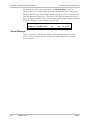
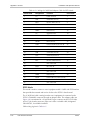
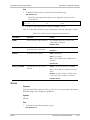
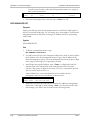
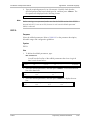
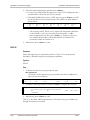
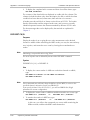
Request to Send (RTS)
The RTS line is normally ON (active) when the supervision terminal is in session.
1-20
Functional Description
FCD-E1