1
FAQ/Troubleshooting
Page 23
SoundJam (Mac)
SoundJam allows 50 encodes prior to registration.
1
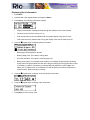
Double click the hard drive icon.
2
Double click the SoundJam folder.
3
Double click the SoundJam MP icon to open the program. You will immediately be prompted to
register online.
4
Click the Register Now button.
5
Follow the instructions on the screen.
6
You will receive your unlock code by e-mail.
Why do I get an error when I click Read a CD to start the encoding process?
The following factors may interfere with the CD encoding process:
1
Over-utilization of the CPU during the encoding process. Close all other software before encoding.
2
Insufficient RAM to cache the track properly. Generally, 64 MB is fine assuming that no other memory intensive application is running. Close all other software before encoding. Windows 98 generally assumes control of 15-20 MB of RAM at startup depending on what applications you have
running.
3
CD-ROM firmware. Even if a CD-ROM drive is new, it may require a firmware update from the
manufacturer to correct audio extraction errors.
4
Overclocking. Overclocking the system—running faster than it is rated to run—can have adverse
effects on the peripheral components. If your system is overclocked, bring it back to its normal
operating speed.
5
Try manually changing the settings that Rio Audio Manager assigned to your CD Drive. To do this,
go to View / Options / Read CD. If it is set on Digital (WinAspi), try changing it to Digital or viceversa. If all else fails, you may have to change it to Analog, but only if you have a sound card. Analog will be slow, but it should work. If you have to select this mode, you may either need to check
one of the above suggestions or try a different CD ROM drive.
How can I get the best sound quality when encoding from a CD?
If you use a significant amount of your computer system's resources with other applications, encoding
songs from a CD may result in poor quality recordings. If the song(s) you encode contain abnormalities, such as pops or skips, close down other applications which are running and encode those songs
again. The condition of the audio CD—scratches and so on—may effect the quality of the recording as
well.