1
Using Built-in Songs to Master Keyboard Play
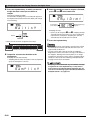
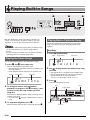
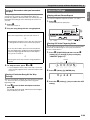
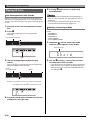
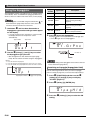
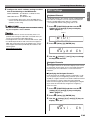
Turning Off Note Guide
Use the following procedure to turn off note guide, which
sounds the note to be played next in Lesson 2 and Lesson 3.
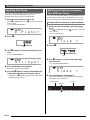
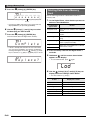
1. Press ck (FUNCTION) and then use the br
(10-key) [4] (U) and [6] (I) keys to display
“LESSON” (page E-7).
2. Press br (10-key) [9] (ENTER) key.
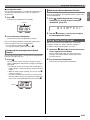
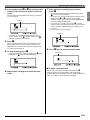
3. Use the br (10-key) [4] (U) and [6] (I) keys to
display “NoteGuid”.
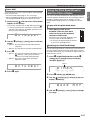
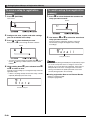
No t eGu i d
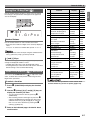
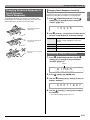
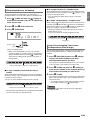
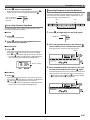
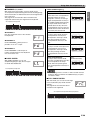
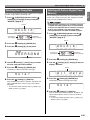
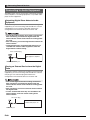
Changing the Phrase Length
You can use the following procedure to change the length of
lesson phrases, or to configure the lesson feature so the song
is played all the way through, without being divided into
phrases.
1. Press ck (FUNCTION) and then use the br
(10-key) [4] (U) and [6] (I) keys to display
“LESSON” (page E-7).
2. Press br (10-key) [9] (ENTER) key.
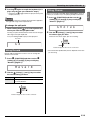
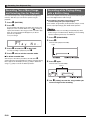
3. Use the br (10-key) [4] (U) and [6] (I) keys to
display “PhraseLn”.
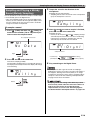
Ph r a s e L n
4. Press the br (10-key) [–] key to select the OFF
setting.
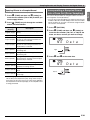
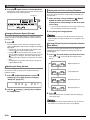
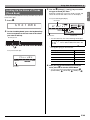
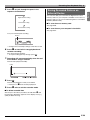
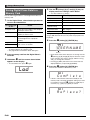
4. Use the br (10-key) [–] and [+] keys to select
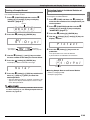
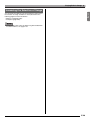
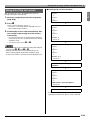
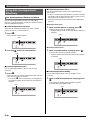
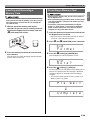
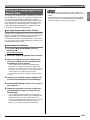
Turning Off Performance Evaluation
Use the following procedure to turn off performance
evaluation, which evaluates your performance and displays a
score in Lesson 2 and Lesson 3.
the phrase length you want.
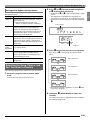
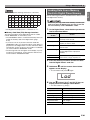
Off (oFF)
The phrase length is from the beginning
to the end of the song.
Preset (PrE)
Phrase lengths are as specified in the
song.
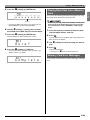
1. Press ck (FUNCTION) and then use the br
(10-key) [4] (U) and [6] (I) keys to display
“LESSON” (page E-7).
The following options are available for songs loaded from
external sources only.
2. Press br (10-key) [9] (ENTER) key.
Short (Ln1)
Length of one phrase is one measure.
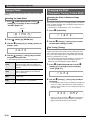
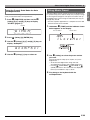
3. Use the br (10-key) [4] (U) and [6] (I) keys to
Middle (Ln2)
Length of one phrase is two measures.
Long (Ln3)
Length of one phrase is four measures.
display “Scoring”.
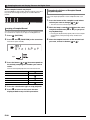
Sc o r i n g
4. Press the br (10-key) [–] key to select the OFF
setting.
E-34