1
NOTE: In order for this information to be available on the HelmView, a GPS
antenna (P/N 78-70-0250) that is NMEA2000 compatible must be installed. This
NMEA2000 device (along with any others) should be networked using valid
NMEA2000 cabling and terminating resistors (Installation Kit P/N 78-70-0261).
The NMEA2000 cabling should ALWAYS be plugged into Plug D (Port D) on the
back of the display. See the “HelmView Installation Manual” for further
information.
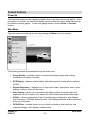
GPS Display Popups
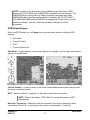
When the GPS Display is on, a Popup button provides quick access to following GPS
features:
•
Split Mode
•
Current Position
•
WPT
•
Course Up/North Up
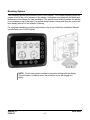
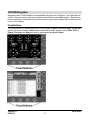
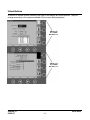
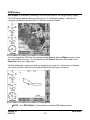
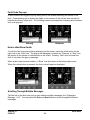
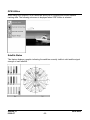
Split Mode – toggles between a split screen with up to 3 gauges, or a full map screen without
gauges, as shown below.
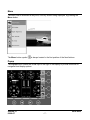
Current Position – is used to return to the current boat/satellite position after having moved
the cursor to another location.
WPT – places a marker or “waypoint” on the map to mark a favorite location.
NOTE: Refer to the chapter “GPS Utilities” for more information on WPT
management.
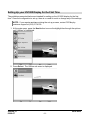
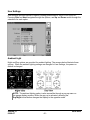
North Up / Course Up – determines how the orientation of the map is displayed; either
conventional “North Up”, or according to the current course heading, “Course Up”.
Section 78
08-08-07
00-02-0604
- 17 -