1
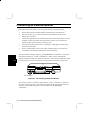
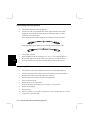
If the battery is allowed to discharge further during operation,
this LED starts blinking red and a continuous alarm sounds,
indicating a critical battery condition. During Suspend to RAM,
however, the alarm does not sound.
The Suspend to Disk mode activates automatically, and you will
have to connect AC or replace the battery with a charged pack to
resume working.
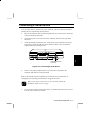
When AC is connected, this indicator glows green if the battery
pack is fully charged, or orange if the battery is being charged. If
a fault occurs with the battery or charger, this indicator blinks
orange. Try removing the battery pack, then re-installing it. If the
indicator still blinks orange, there may be a problem with the
notebook or the battery pack.
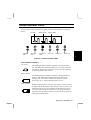
Other Indicator LEDs
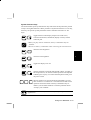
CD-ROM Drive
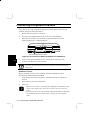
This indicator glows green while the CD-ROM is being accessed.
Wait for this indicator to turn off before removing the CD-ROM.
3
Hard Disk Drive
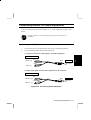
This indicator glows green while the hard disk drive is being
accessed. To avoid data loss, never remove the drive, or turn off or
reset the notebook when this indicator is lit.
Floppy Disk Drive
This indicator glows green while the floppy disk drive is being
accessed. To avoid data loss, never remove the diskette from the
drive, or turn off or reset the notebook when this indicator is lit.
Num Lock
This indicator glows green when the keyboard Num Lock function
is engaged, to activate the keyboard’s embedded numeric keypad.
Caps N
Lock
This indicator glows green when the keyboard Caps Lock function is
engaged, causing characters to be entered in upper case.
Scroll Lock
A
This indicator glows green when the keyboard Scroll Lock function is
engaged, causing text to scroll without altering the cursor position on
screen.
3-2 Status Indicator LEDs