1
3.1.9 Installing the IR850
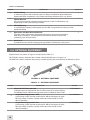
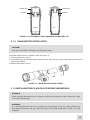
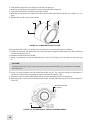
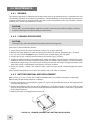
The IR850 (Figure 3-12) is delivered ready-assembled with a dedicated mount, to be installed on the
Weaver rail of the CO-MR. The mount clamp (A) has a spherical hinge that allows to tilt the IR850.
Mount the IR850 on the Weaver rail as follows:
1. With the nut (D) loosened, install the mount (B) on the Weaver rail so that the stop (C) slides into one
of the transverse slots of the rail.
2. Tighten the nut (D) using a screwdriver.
A
B
C
D
Figure 3-12. IR-850 Illuminator
3.2 Controls and Indicators
CAUTION:
DO NOT force the equipment controls past their stopping points.
3.2.1 CO-MR Controls and Indicator
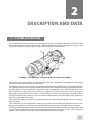
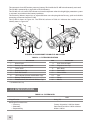
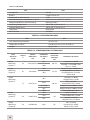
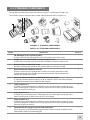
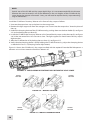
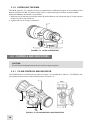
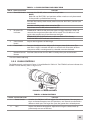
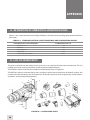
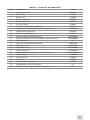
The CO-MR controls and indicator are shown in Figure 3-13 and defined in Table 3-1. The ITEM NO. column indicates the number used to identify items in Figure 3-13.
4
3
2
1
Figure 3-13. CO-MR CONTROLS AND INDICATOR
24