1
MICROBOARDS TECHNOLOGY, LLC
GX-2 DISC PUBLISHER
Printing Preferences
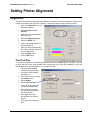
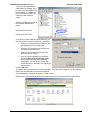
Access the Printing Preferences by clicking the Start Button on your Windows computer. Select
Settings and then select Printers. Right click on the Microboards GX Series icon, then select
Printing Preferences.
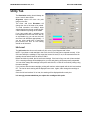
Paper/Quality Tab
Print Quality
•
Best
•
Normal
•
Fast
Print Modes
•
Text and Graphics
•
Photo
Printing Recommendations
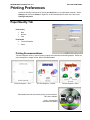
Text and Graphics mode is used for printing mainly text information and small graphics. Below are
some examples for images in Fast, Normal and Best Modes:
Text and Graphics – Fast
Text and Graphics – Normal
Photo Mode should be used when printing on the entire disc.
Here is an example:
Photo – Normal Best
and 4800x1200 Modes
15
Text and Graphics – Best