1
Section 2 – MultiMux Operation and Installation
13
MultiLogger Software Configuration
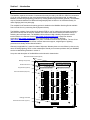
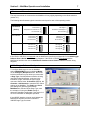
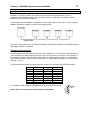
Multiplexers are configured using the Program | Multiplexers form, as illustrated.
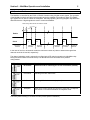
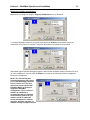
To configure DaisyMux operation you would simply specify an Enable port that matches all of the
multiplexers in the series. For example, multiplexer #2 would be configured as shown below.
When MultiLogger builds the datalogger program it will note that the Enable setting is the same for the 2
(or more) multiplexers, it will not lower the Enable line, which would effectively reset the multiplexers,
between the multiplexers.
NOTE: This functionality was
supported beginning with version
2.1.1 of the MultiLogger Software.
Prior to version 2.1.1 you were
required to use the special ANE
DaisyMux Model (as shown) to
support the DaisyMux
configuration. If your version of
software is outdated it is
recommended that you upgrade,
contact Canary Systems or your
software vendor to obtain the
access information for software
upgrades. Software upgrades are
available through a support contract.