1
4.
Select the ECA file or PtG file you want to play back and then click the [Open]
button.
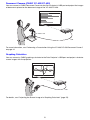
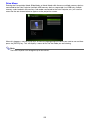
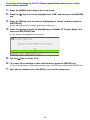
z This will display a control panel at the top of the screen.
Control panel
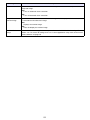
z During file playback, you can use the control panel buttons to perform the operations
described below.
To do this:
Perform this operation:
Go to the previous page
Click the
button.
Go to the next page
Click the
button.
Jump to a specific page
1. Click the
button and then click “Slide Viewer” on the menu that appears.
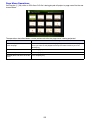
2. On the page menu that appears, click the thumbnail of the destination page
and then click [OK].
Display help
Click the
Exit file playback
Click the
button, or click the
button and then click “Exit” on the menu
that appears. You could also press the [ESC] button on your computer keyboard
to stop playback.
button and then click “Help” on the menu that appears.
Using ArcSoft MediaConverter 3 for CASIO Projector
ArcSoft MediaConverter 3 for CASIO Projector is computer software that converts an MP4, MOV*,
AVI, or WMV format file to a Motion JPEG format AVI file that can be played by the projector’s Viewer
function. For details about file formats, see page 5.
* QuickTime Player 7 or greater is required to convert from a MOV file.
Important!
In order to perform the procedures in this section, you will first need to install ArcSoft
MediaConverter 3 for CASIO Projector from the CD-ROM that comes with the Data Projector
onto your computer. For more information, see “Installing the Software” (page 8).
17