1
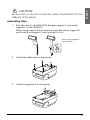
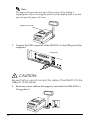
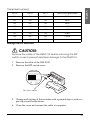
CAUTION:
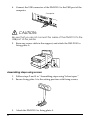
Be sure that you do not connect the cable of the DM-D110 to the
USB port of the printer.
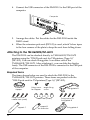
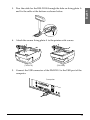
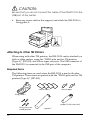
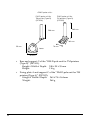
6. Store any excess cable in the support, and attach the DM-D110 to
fixing plate A.
Attaching to Other TM Printers
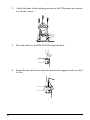
When using with other TM printers, the DM-D110 can be attached to a
desk or other surface, using the “DM-D pole unit for TM printers
(Type A)” (DP-502), and Velcro tapes or screws. The USB connector of
the DM-D110 is connected to the USB port of the computer.
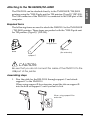
Required items
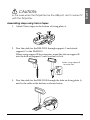
The following items are used when the DM-D110 is used with other
TM printers. These items are packed with the “DM-D pole unit for TM
printers (Type A)” (DP-502).
Velcro tapes
Velcro tapes
fixing plate A
support B (for extension)
fixing screws for
wood position
20
support C