1
6.0 E4 System Setup
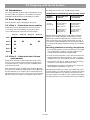
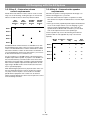
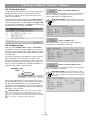
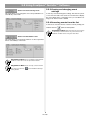
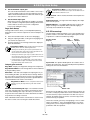
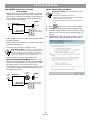
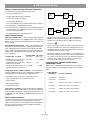
Page setup with Opti-voice® off
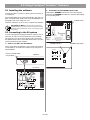
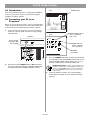
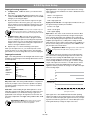
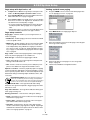
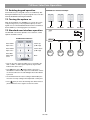
Setting up Multi-zone paging
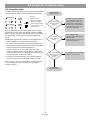
1.
Set Opti-voice to Off in the Page Setup control panel. This
enables the Ducking Depth and Release Time controls.
1.
Assign the PAGE source to all zones that will be paged. See
“To set up paging in a zone” on page 50.
2.
Set the Ducking Depth to the amount in dB that the music
will be reduced to once a page is triggered.
3.
Set the Release Time to the length of time (secs.) it will take
for the music to return to its original level. The Release Time
can determine the overall quality of a page.
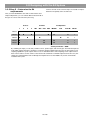
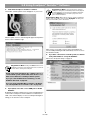
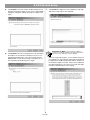
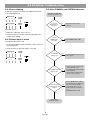
2.
Select Multi-zone in the Paging Type drop list.
3.
Select the wall plate connection for the page control keypad
in the Page Control drop list.
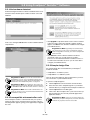
• Auto – Automatically senses input signal level. Requires that
the Page Threshold level be set.
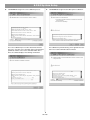
4.
Set the Page Gain for each page zone. See “Page Gain
Setup” on page 46.
• PTT – Detects contact closure from push-to-talk (PTT) microphones. This disables the Page Threshold slider control.
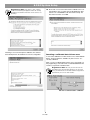
5.
Click the Flash Hardware Configuration button.
• If you pause frequently while paging or release the pushto-talk (PTT) button during a page, use a long Release
Time.
• If the Release Time is too short, the music will quickly return
and the level will be reduced once the page continues.
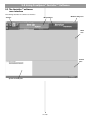
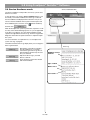
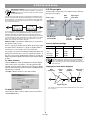
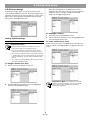
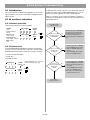
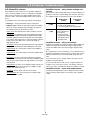
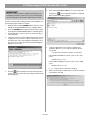
Page setup controls
Paging Type – Identifies whether you are using fixed-zone or
multi-zone paging.
• Fixed-zone – Enables paging in all zones that have the PAGE
source assigned to them.
• Multi-zone – Enables paging in all zones that have the PAGE
source assigned to them and allows the user to select each
zone independently using a Multi-zone Paging user interface.
See “Source assign” on page 49, “Setting up Multi-zone paging” on page 51, and “Multi-zone paging user interface operation” on page 61.
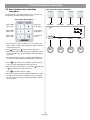
Page control – Selects which page keypad is used for paging.
Active only when Paging Type is set to Multi-zone.
Detection type – Determines the page trigger method:
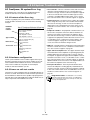
Opti-voice selection – The Bose® proprietary Opti-voice paging
system provides the appropriate sound level regardless of variations in speech projection. When on, this feature implements predetermined settings for Ducking Depth and Release Time, and
source EQ.
Programmer’s Note: When the Opti-voice paging system is on, the Ducking, Source Leveling, and Input EQ
controls are unavailable. Only when the Opti-voice paging
system is off can these values be changed individually.
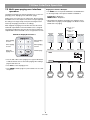
Page Threshold slider – The Page Threshold slider setting
determines the signal level required to trigger a page when Auto
Detection is used.
Page Active indicator – The Page Active indicator will be green
when a page is being sent.
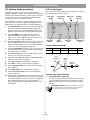
Ducking parameters – There are three settings for ducking:
• Depth – Determines how much to reduce the level of program
material when a page starts.
• Release Time – Determines the amount of time to keep program material reduced after a page ends.
• Hold Time – Determines the amount of time that the page
remains active after the page signal has stopped. Page length
and Hold Time determine the point at which the Release Time
starts. See “Paging operation” on page 52.
51 of 80