1
Chapter 7
Installing a Remote Emergency Power−Off Control
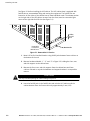
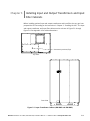
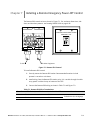
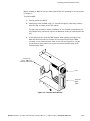
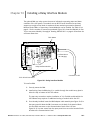
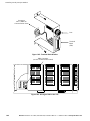
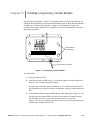
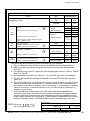
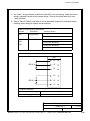
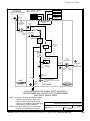
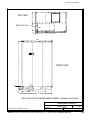
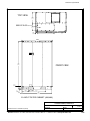
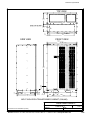
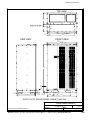
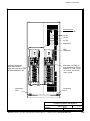
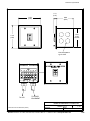
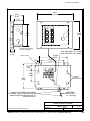
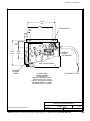
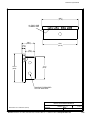
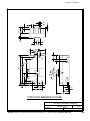
The Remote EPO control arrives as shown in Figure 7-1. For enclosure dimensions, side
views, and knockout patterns, see Drawing 164201118−9 on page A−36.
UNINTERRUPTIBLE POWER SYSTEM
EMERGENCY OFF
To UPS
To Other Equipment
Figure 7-1. Remote EPO Control
To install a Remote EPO control:
1. Securely mount the Remote EPO station. Recommended locations include
operator’s consoles or exit doors.
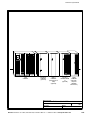
2. Install wiring from the Remote EPO station using ½-in. conduit through the cable
entry panels in either the top or bottom of the UPS.
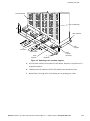
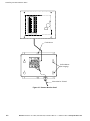
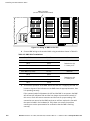
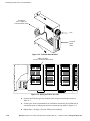
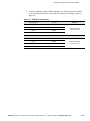
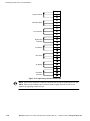
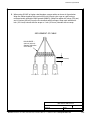
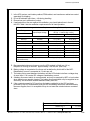
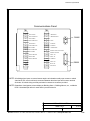
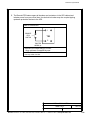
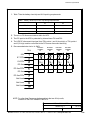
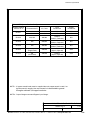
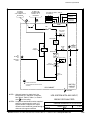
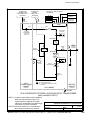
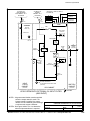
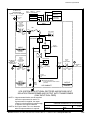
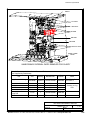
3. Connect the Remote EPO wiring as shown in Table 7-1 and Figure 7-2:
Table 7-1. Remote EPO Wire Terminations
From Remote EPO Station(s)
To Communication Panel in UPS
TB1−4
TB2−1
TB1−5
TB2−2
Remarks
Twisted wires (2) 14−18 gauge
EATON Powerware® 9315 UPS (300–500 kVA) Installation Manual S 164201118 Rev H www.powerware.com
7−1