1
PJ-1614NXE PJ-2216NXE Maintenance Manual
2 Product Overview
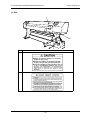
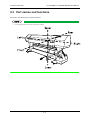
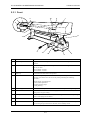
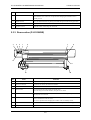
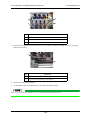
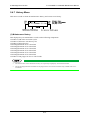
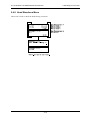
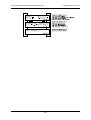
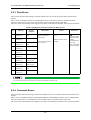
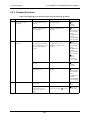
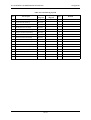
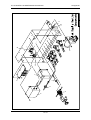
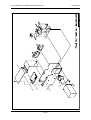
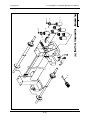
2.3.1 Front
4
10
4
9
1
5
6
7
11
13
8
14
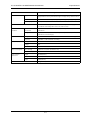
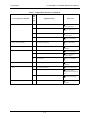
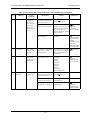
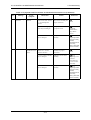
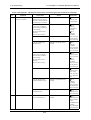
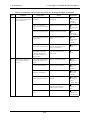
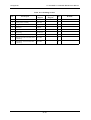
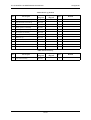
No.
3
12
Name
2
Function
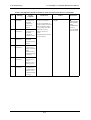
1
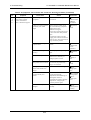
Operation panel
This panel is used to set operational conditions, the status of the printer, and other
functions.
2
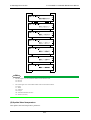
Main tank
Container for holding the ink and the jet wash fluid. The following are attached to the
tank tray for each.
• PJ-1614NXE: 5 bottles
• PJ-2216NXE: 7 bottles
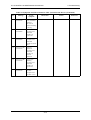
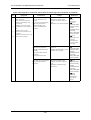
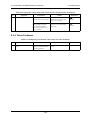
3
Tank tray
Used to attach the main tank to the product.
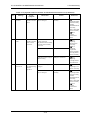
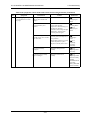
4
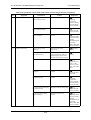
Front cover
This cover keeps the operator safe from the drive parts of the printer while it is
operating. Open and/or close the cover only when performing the following
operations.
• Media setting and replacement
• Cutter blade replacement
• Clearing cleaning wiper
• media jamming
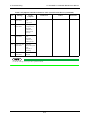
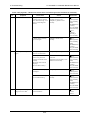
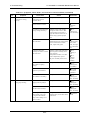
5
Pressurizing roller
This roller is used to press the media from above and keep it flat when printing.
6
Platen
Set inside the front cover. A heater for drying ink is built in. On the surface, there is a
cutter groove for paper cutting.
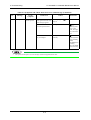
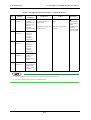
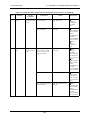
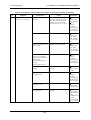
7
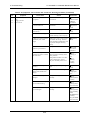
Media guide
This is used to feed the media smoothly when setting the media and when printing.
There is a ink drying device built in.
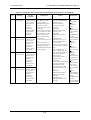
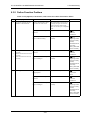
8
Foot switch
This switch is used to raise and lower the pressurizing roller.
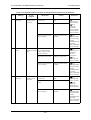
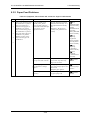
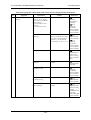
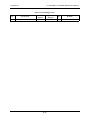
9
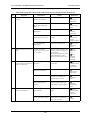
Valve cover
This is a cover to protect the user from the internal components of the unit. It is opened
when cleaning the print head or the sub-tank, and is normally closed.
2-3