1
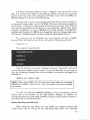
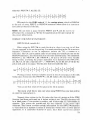
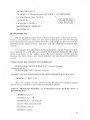
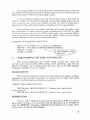
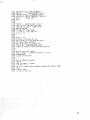
FORMAT FOR MEMORY-EXECUTE:
PRINT# file#, "M-E:" CHR$(1ow address byte) CHR$(high byte)
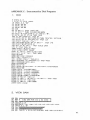
See line 20 above for an example.
USER Commands
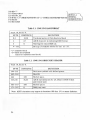
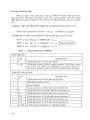
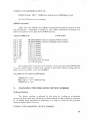
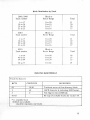
Aside from the USERI and USER2 commands discussed in chapter 6, and
the UI+ and UI- commands in chapter 2, the USER commands are jumps to a
table of locations in the disk drive's RAM memory.
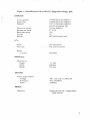
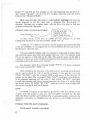
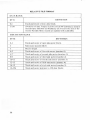
USER COMMAND
UI or UA
U2 or UB
03 or UC
U4 or UD
US or UE
U6 or UF
U7 or UC
U8 or UH
U9 or VI
U; or UJ
VI+
VI-
FUNCTION
BLOCK-READwithout changing buffer-pointer
BLOCK-WRITEwithout changing buffer-pointer
jump to $0500
jump to $0503
jump to $0506
jump to $0509
jump to $050C
jump to $050F
jump to $FFF A
power-up vector
set Commodore 64 speed
set VIC 20 speed
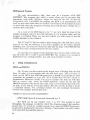
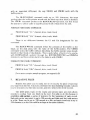
By loading these locationswith anotherjump command,likeJMP$0520,
you can create longer routines that operate in the disk's memory along with an
easy-to-usejump table-even from BASIC!
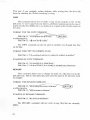
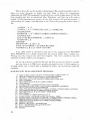
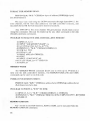
EXAMPLES OF USER COMMAMDS:
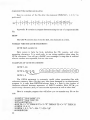
PRINT# 15,"03"
PRINT# 15, "U"+ CHR$(50+Q)
PRINT# 15, "VI"
9.
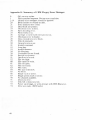
CHANGING THE DISK DRIVE DEVICE NUMBER
Software Method
The device number is selected by the drive by looking at a hardware
jumper on the board and writing the number based on that jumper in a section
of its RAM. Once operation is underway, it is easy to write over the previous
device number with a new one.
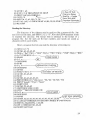
FORMAT FOR CHANGING DEVICE NUMBER:
39